
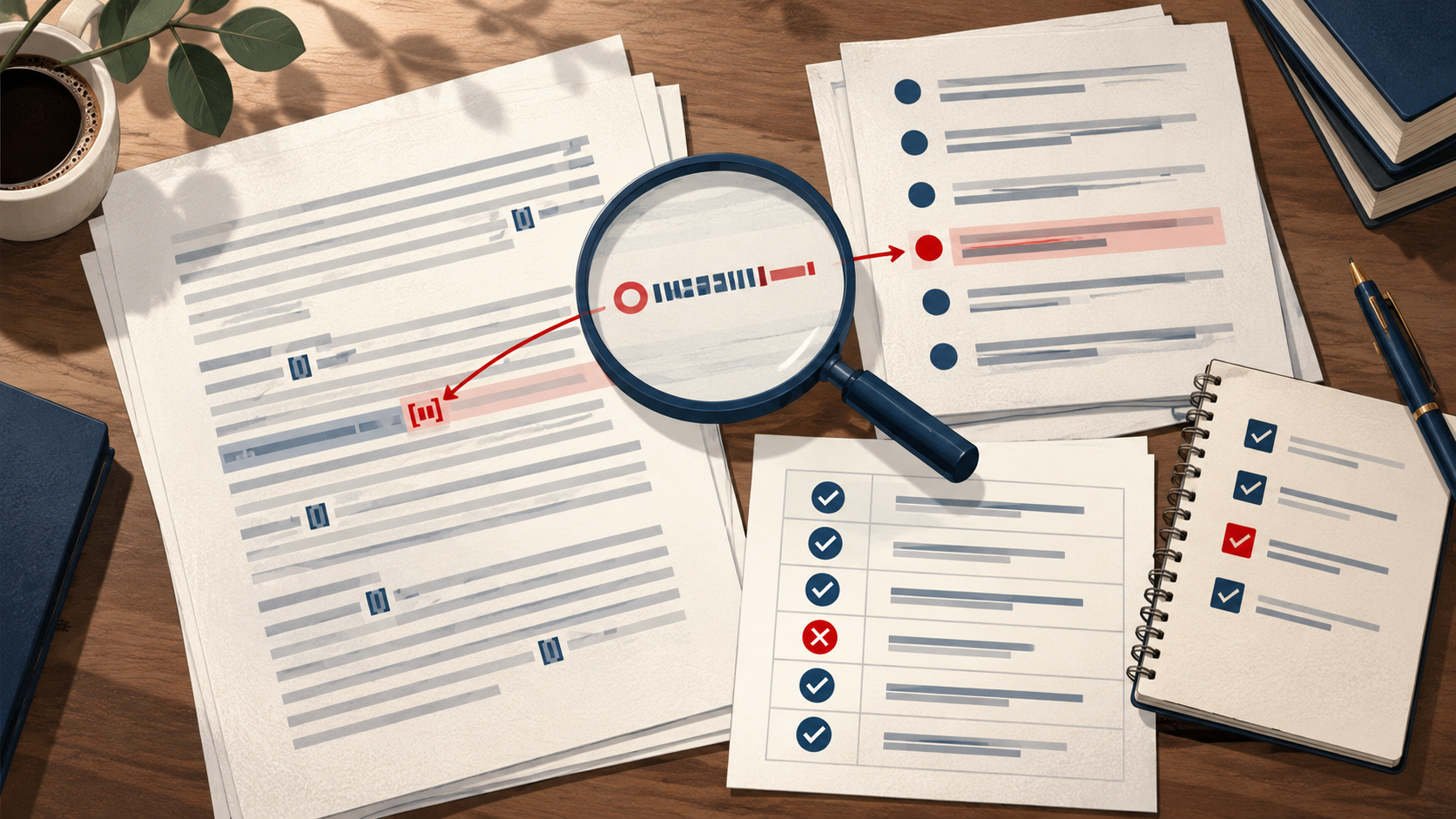
A pre-submission citation audit is a single controlled pass through every reference in a manuscript, checking seven things in a fixed order: existence, metadata, claim support, citation placement, bibliography matching, correction status, and internal consistency. Run it before you submit, before you resubmit after revision, and before you circulate a grant evidence summary. The goal is not to re-read the literature — it is to confirm that each citation points to a real work, that the bibliographic record matches that work, that the sentence it supports is actually supported, and that your method trail lets a co-author or reviewer reproduce your checks.
This guide gives you a complete sequence with diagnostic checkpoints, a worked example, a reusable checklist, and explicit stop and escalation rules. It draws on how Crossref, DOI resolution, and Google Scholar actually behave, and it shows where a research assistant such as WisPaper fits at specific steps.
Why one controlled pass beats scattered spot-checks
Most citation problems surface late because checks are scattered: someone verifies DOIs, someone else proofreads the bibliography, and nobody re-reads the claim sentences. A controlled pass fixes the order so that each check depends on the previous one. You cannot judge claim support until you know the work exists and the metadata is right; you cannot match the bibliography until placement is settled.
Crossref exposes publisher-deposited scholarly metadata through its REST API — titles, authors, venues, dates, identifiers, licenses, funding, ORCID and ROR identifiers, abstracts when deposited, and post-publication updates from trusted sources. That makes it a strong anchor for the existence and metadata steps. A DOI resolves through doi.org to the current destination registered for that identifier, which helps you locate a work — but resolution alone does not confirm that bibliographic fields or the source text are correct. Keep those two ideas separate throughout the audit.
Step 1 — Check existence
Start by confirming that every cited work exists as a real, locatable record.
- Resolve each DOI through doi.org and note where it lands.
- For entries without a DOI, search by author and title. Google Scholar documents searching by author and title, so use both fields rather than title alone.
- Record the result of each check in your audit log: resolved, not resolved, or ambiguous.
Diagnostic checkpoint: if a DOI does not resolve, or a title search returns nothing plausible, flag the entry as unverified and stop working on its downstream checks until it is resolved. Do not silently delete it — an unresolved reference may be a real work with a typo, or it may be fabricated.
If you are screening a BibTeX file at scale, TrueCite checks BibTeX against real academic databases to flag hallucinated references, which is a useful first sweep before you do the manual resolution pass. For finding or re-finding the underlying papers, use WisPaper search to locate records through the scholarly search interface.
Step 2 — Verify metadata against the deposited record
Once a work is located, compare your bibliography entry field by field against the deposited metadata: authors, venue, date, identifiers, and — where relevant — funding and ORCID/ROR identifiers. Crossref is the natural reference point because it carries publisher-deposited values and post-publication updates from trusted sources.
Diagnostic checkpoint: treat any mismatch in author order, year, or venue as a stop-and-fix, not a cosmetic edit. A wrong year or venue can send a reader to a different work entirely.
Step 3 — Test claim support
This is the step most audits skip. For each citation, re-read the sentence it supports and ask whether the cited source actually makes that claim. Resolution and metadata checks tell you the work is real and correctly described; they do not tell you the sentence is supported.
- Read the abstract (Crossref includes abstracts when deposited) and, where the claim is specific, the relevant section of the source.
- Mark each citation as supported, partially supported, or unsupported.
- For partially or unsupported claims, rewrite the sentence or find a source that does support it.
Diagnostic checkpoint: an unsupported claim is a content problem, not a formatting problem. Escalate it to the author who wrote the sentence before you touch the bibliography.
Step 4 — Check citation placement
Placement asks whether the citation sits next to the claim it supports. A reference that is correct in the bibliography but attached to the wrong sentence is still a citation error.
- Confirm the citation marker is adjacent to the specific claim, not floating at the end of a paragraph of mixed claims.
- Where one sentence carries several claims, split the citations so each maps to its own source.
- Note any citation that appears only in the text but not in the bibliography, or vice versa — you will reconcile these in Step 5.
Step 5 — Match text citations to the bibliography
Now reconcile the two lists mechanically.
- Extract every in-text citation marker and every bibliography entry.
- Match them one-to-one and record unmatched items in both directions.
- Confirm that each bibliography entry is cited at least once and each marker has an entry.
Diagnostic checkpoint: any one-directional match is a hard stop until resolved. An orphan bibliography entry usually means a deleted sentence; an orphan marker usually means a dropped reference.
Step 6 — Check correction status
A work can be real, correctly described, and still superseded by a correction, erratum, or retraction. Crossref carries post-publication updates from trusted sources, so check whether the record you are citing has an update attached.
- For each cited DOI, look for update notices in the deposited record.
- If an update exists, read it and decide whether your claim still holds.
- Record the decision in your audit log with the date you checked.
Diagnostic checkpoint: if a correction changes the finding your sentence relies on, escalate to the section author before submission. Do not quietly soften the sentence.
Step 7 — Confirm internal consistency
Finally, check consistency across the whole manuscript: citation style, author-name forms, year formats, and numbering. This is the cheapest step to automate and the easiest to defer — do it last, once the substance is settled, so you are not reformatting entries that later get replaced.
A worked example: auditing a methods paragraph
Suppose a manuscript's methods section reads: "Prior work established that the effect holds across cohorts [12]." Here is how the seven steps play out.
- Existence. Resolve the DOI for reference 12 through doi.org. It lands on a publisher page — the work exists.
- Metadata. Compare the entry against the deposited record. The year in your bibliography is one off from the deposited date. Fix it and log the change.
- Claim support. Read the abstract. The source reports the effect in a single cohort, not across cohorts. Mark the citation partially supported and escalate to the author to narrow the sentence.
- Placement. The marker sits at the end of a two-claim sentence. Split it so the second claim gets its own source.
- Bibliography match. Confirm reference 12 appears in the bibliography and is cited only where intended.
- Correction status. Check the deposited record for updates. None attached — log the check date.
- Consistency. Confirm the corrected year and author form match the rest of the manuscript's style.
The audit log now shows, for one reference, what was checked, what changed, and who needs to act. That is the method trail.
A reusable audit checklist
| Step | Check | Pass condition | Stop rule |
|---|---|---|---|
| 1 | Existence | DOI resolves or title/author search finds a plausible record | Unresolved → mark unverified, pause downstream checks |
| 2 | Metadata | Authors, venue, date, identifiers match deposited record | Any mismatch → fix before proceeding |
| 3 | Claim support | Source actually makes the claim | Unsupported → escalate to section author |
| 4 | Placement | Marker adjacent to the claim it supports | Mixed-claim sentence → split citations |
| 5 | Bibliography match | One-to-one match in both directions | Orphan in either direction → hard stop |
| 6 | Correction status | No update, or update does not affect the claim | Update affects claim → escalate |
| 7 | Consistency | Style, names, years, numbering uniform | Defer until substance is settled |
Keep this table as your audit log template. Add columns for the checker's name, the date, and the resolution for each flagged item.
Where a research assistant fits — and where it does not
A research assistant speeds up the mechanical steps; it does not decide whether a claim is supported. Use it deliberately:
- Existence and re-finding. Use WisPaper search or the WisPaper Scholar Search entry point to locate records when a DOI is missing.
- BibTeX screening. Run TrueCite over your BibTeX to flag hallucinated references before the manual pass.
- Organizing the audit set. Save or upload the papers under audit into My Library so the set stays fixed while you work through the checklist.
- Claim-support questions. Use Library QA to ask questions based on papers uploaded to My Library or added from search results — useful for a first read of whether a source addresses a claim.
- Larger synthesis tasks. For a longer literature review that feeds the evidence summary, the Scholar Agent area covers literature review, inspiration, and reproduction use cases.
Each of these supports a specific step. None of them replaces the judgment calls in Steps 3, 4, and 6, which stay with you and your co-authors.
Stop and escalation rules
Write these down before you start so the audit does not drift:
- Stop on any unresolved DOI or implausible title match until the entry is verified or removed by the author.
- Stop on any one-directional bibliography match.
- Escalate to the section author on any unsupported or partially supported claim.
- Escalate on any correction that changes the finding your sentence relies on.
- Defer consistency and formatting until Steps 1–6 are closed.
FAQs
Keep Reading

How to Search for Evidence in a Very Specific Patient Population
A narrow population question—say, adults with a rare comorbidity, a specific prior treatment history, or an uncommon age band—fails in two opposite ways. Search too loosely and you drown in studies of adjacent patients.

How to Search for Grey Literature Without Lowering Your Standards
Grey literature is where a focused evidence question often goes to be tested. Registers, agency reports, and institutional publications can carry outcome data that never appears in a journal article, but they arrive with

How to Separate Clinical Outcomes from Surrogate Outcomes
A surrogate outcome is a measurable substitute that stands in for a clinical outcome you actually care about. Separating the two is a labeling and reasoning task, not a vocabulary exercise: you decide what kind of outcom