
Crowdsourcing UI Adaptations: Solving the "Enterprise Bloat" Problem with Model-Driven Engineering
15862_Crowdsourcing user interface adaptations for minimizing the bloat in enterprise applications.
The paper introduces a model-driven approach and a web-based tool for crowdsourcing user interface (UI) adaptations to combat "bloat" in enterprise applications. By leveraging internal and external communities to simplify feature-sets, it achieves a multi-layer UI design that reduces visual complexity.
TL;DR
Enterprise systems like ERPs are notorious for "bloat"—massive feature sets that overwhelm the average user. This paper presents a tool-supported mechanism that allows the user community to crowdsource UI simplifications. By using a model-driven approach, the system ensures that when a crowd member removes a button or a field, the underlying business logic and task dependencies remain intact.
The "Bloat" Motivation: Why Enterprise Software is Hard to Use
In the world of software engineering, "bloat" refers to an excess of features that diminishes user experience. Enterprise applications are the prime victims; while a system might support 1000 functions, a specific accountant might only need 10.
The authors argue that personalizing these interfaces manually is too costly for IT departments. Their insight? Leverage the crowd. Whether it is internal staff (Enterprise Crowdsourcing) or the broader external user community (Community Crowdsourcing), the people who use the software are best positioned to know which features are essential for specific roles.
Methodology: Model-Driven Simplification
The core of this approach is not just "hiding buttons"—it is a formal structural change based on the CAMELEON reference framework and ConcurTaskTrees (CTT).
1. The Visual Editing Tool
The authors developed a web-based tool that renders the UI dynamically. Users can check or uncheck tasks in a tree structure or interact directly with the rendered HTML.
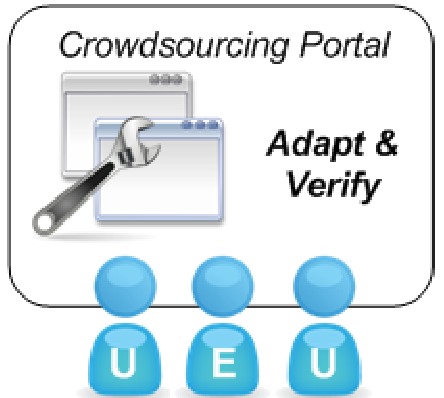 Figure 1: The proposed workflow involving stakeholders, administrators, and the online community.
2. Dependency Checking (The Secret Sauce)
The biggest risk in UI simplification is breaking functionality (e.g., removing a "Input Date" field that a "Calculate Tax" button depends on). The authors solve this using Algorithm 1, which checks temporal constraints in the task model. If a stakeholder removes a required dependency, the tool flags an error, ensuring the resulting "slim" UI is still functional.
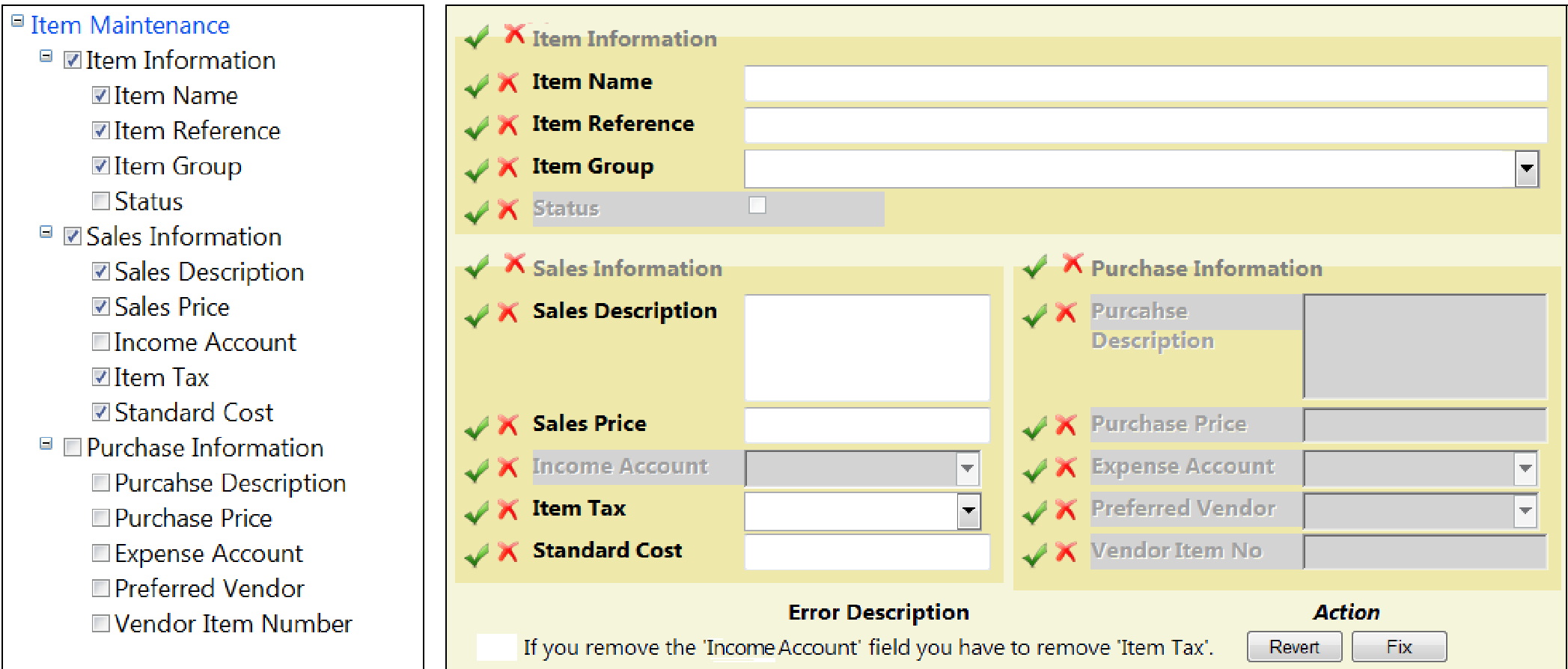 Figure 2: The editing tool in action, showing the task tree, the rendered UI, and conflict alerts.
Experimental Validation
To test if "the crowd" could actually use such a technical tool, the authors ran a study on Amazon Mechanical Turk with 33 participants.
- Perceived Usability: The tool achieved a SUS score of 68.78, indicating it is relatively easy to use even for those who are not MDE experts.
- Efficiency: Users completed complex adaptation tasks in under 80 seconds on average.
- Effectiveness: Both "Intermediate" and "Expert" computer users were able to successfully minimize the feature-set based on specific requirements without breaking the model.
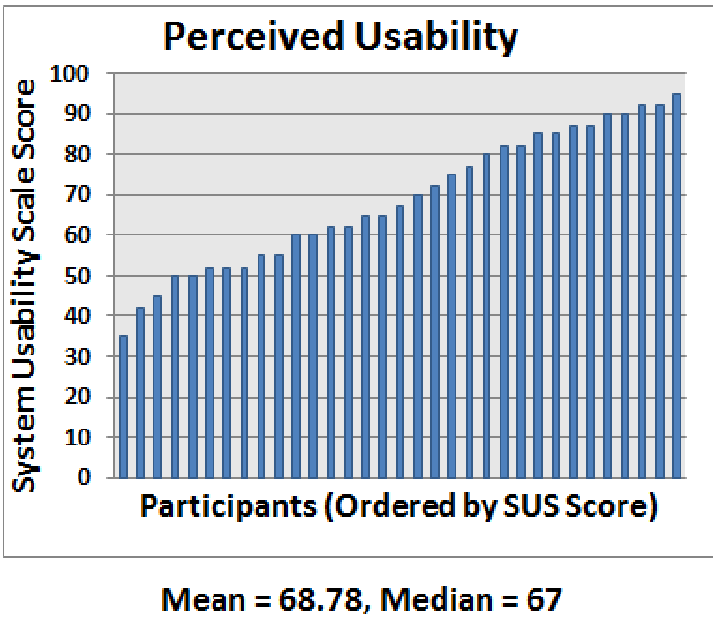 Figure 3: Graphical representation of usability (SUS) and task completion time across different literacy levels.
Critical Analysis: Privacy and Community
A significant contribution of this paper is the discussion on Enterprise Privacy. Deeply customized UIs often reflect proprietary business processes. The authors propose a "Gatekeeper" model:
- Administrators review crowd-contributed UIs.
- They decide which adaptations are shared back to the public repository.
- Internal roles are stripped from metadata before sharing to protect corporate structure.
Limitations
While the results are encouraging, the study used a relatively simple "Item Maintenance" form. Real-world ERP screens can have hundreds of interconnected fields. Furthermore, the reliance on Mechanical Turk might introduce some "compliance bias."
Conclusion & Future Outlook
This paper bridges the gap between Formal Methods (model checking) and Social Computing (crowdsourcing). By treating UI adaptation as a community effort rather than a centralized IT task, enterprise software can finally evolve past the "one-size-fits-all" bloat that has plagued the industry for decades. Future work exploring the adaptation of widget properties (size, color, location) could further enhance this personalization engine.