
A New Face to Photo Security: Moving Beyond Visibility to Active Protection
A new face to photo security of Facebook
The paper proposes a novel security framework for Facebook to prevent unauthorized photo copying and sharing. It introduces a "Lock This Photo" feature that utilizes steganography and OS-level coding segments to disable Print Screen, snipping tools, and right-click functions.
TL;DR
This paper addresses the critical vulnerability in social networking sites where "private" photos can still be easily stolen via screenshots. The authors propose a "Lock This Photo" mechanism that uses steganography to deliver tiny code segments to a user's machine, temporarily disabling hardware print-screen functions and snipping tools while the media is being viewed.
Academic Positioning: This work sits at the intersection of Social Media Privacy and Digital Rights Management (DRM). It moves the conversation from simple access control lists (Who can see?) to active content protection (What can they do?).
Problem & Motivation: The Illusion of Privacy
Current social media platforms like Facebook offer robust visibility settings (Public, Friends, Custom), but they suffer from a fundamental flaw: The Analog Hole. Once an image is rendered on a user's screen, the platform loses control.
The authors highlight three primary attack vectors:
- Direct Copying: Through "Right-Click > Save Image As."
- OS Tools: Using the Windows Snipping Tool.
- Hardware Triggers: The
PrntScr(Print Screen) key on keyboards.
These methods facilitate heinous cybercrimes, including Identity Spoofing (e.g., the Delhi gang rape victim case) and Image Morphing, where faces are spliced onto explicit content to damage reputations.
Methodology: The "Lock This Photo" Framework
The core of the paper is a proactive security layer that operates on the client side.
1. Steganographic Code Injection
Instead of just serving a static image file, the authors propose embedding a hidden coding layer in the photo using steganography. When a user attempts to view a "Locked" photo, the system requests permission to execute a temporary security segment.
2. Disabling Hardware & OS Hooks
Once the user clicks "Continue," the coding segment performs two critical tasks:
- Keyboard Interception: It forms a "shell" over the keyboard's scan codes. If the receptor on the motherboard receives a
PrntScrsignal, the code blocks the release/press codes, making the keyboard behave as if that key does not exist. - Software Blocking: It identifies the process for the "Snipping Tool" in Windows and wraps its execution in an envelope, preventing it from capturing the active browser window.
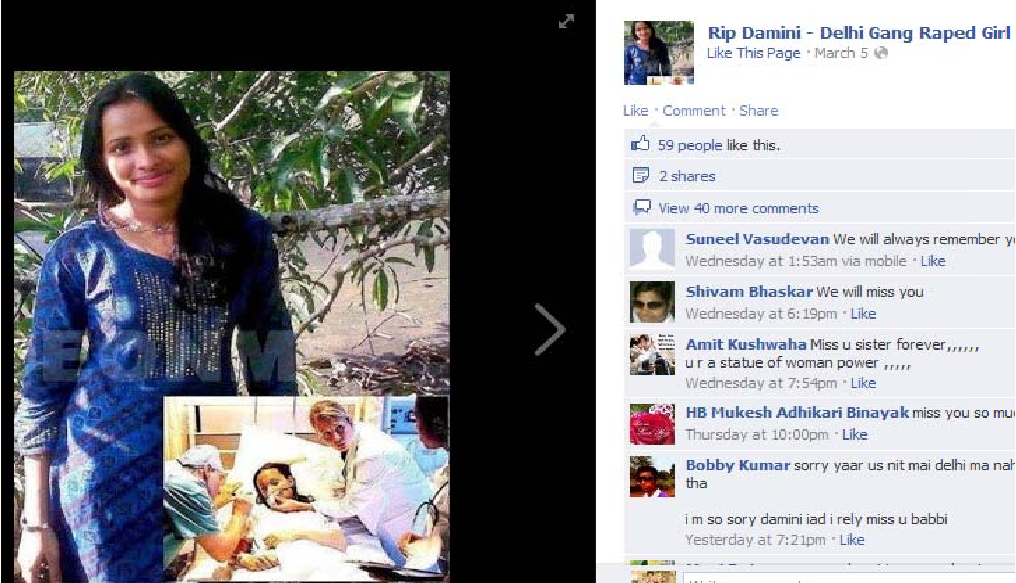 Fig. 10: Proposed UI for locking photos during the upload process.
3. The "FLAG" Mechanism for High-Security Environments
In IT company environments where firewalls might block such code segments, the authors propose a FLAG variable.
FLAG = 0(Default): Image is blurred/locked.- The system attempts to deploy the security code. If the code successfully hooks into the OS/Hardware, it sets
FLAG = 1. - If the firewall prevents the code from running, the FLAG remains
0, and the photo remains inaccessible, preventing any "unprotected" viewing.
 Fig. 15: Visual representation of a locked, blurred image state.
Experiments & Results
The paper is largely conceptual and focused on the architectural logic. However, the authors posit that this approach could mitigate 70% to 90% of common photo-sharing cybercrimes. By disabling the "Share" button on locked photos and neutralizing the Print Screen function, the "viral" spread of unauthorized content is effectively bottlenecked.
Critical Analysis & Conclusion
Takeaway
The paper provides a bold vision for a safer social web. By integrating hardware-level awareness into the browser experience, it offers a much-needed defense against the "low-effort" theft of personal data.
Limitations
As a senior editor, I note two significant hurdles the authors correctly identify:
- Software Diversity: There are thousands of third-party screen capture tools (e.g., Greenshot, OBS). Disabling every possible process is a "cat-and-mouse" game.
- The Physical Camera: No software can stop a user from taking a physical photo of their monitor with a high-quality smartphone camera.
Future Outlook
This work pre-dates many modern browser-based security features. Future iterations could leverage Encrypted Media Extensions (EME) or HDCP (High-bandwidth Digital Content Protection)—technologies currently used by Netflix—to bring this level of security to personal social media photos.
Acknowledgment: This research was conducted by students and professors at ABES Engineering College, providing a fresh perspective on the intersection of human dignity and cybersecurity.