
HowToApp: Redefining Accessibility Through Competency-Based Design
HowToApp: Supporting Life Skills Development of Young Adults with Intellectual Disability
This paper introduces HowToApp, a mobile application designed through Participatory Action Research (PAR) to support lifeskills development for young adults with Intellectual Disabilities (ID). The system employs a "competency-based design" approach, leveraging users' existing familiarity with social media interfaces to curate and share educational YouTube content.
TL;DR
HowToApp is a co-designed mobile application that empowers young adults with Intellectual Disabilities (ID) to develop life skills. Rather than starting from scratch, the app leverages the "functional familiarity" users already have with icons from Facebook and YouTube, turning existing social media skills into a bridge for learning and social participation.
Beyond Deficits: The Shift to Competency-Based Design
Historically, technology for individuals with Intellectual Disabilities has been designed through a medical or "deficit" lens, focusing on what the user cannot do. Even "Ability-Based Design," while more progressive, often focuses on immediate physical or cognitive capabilities.
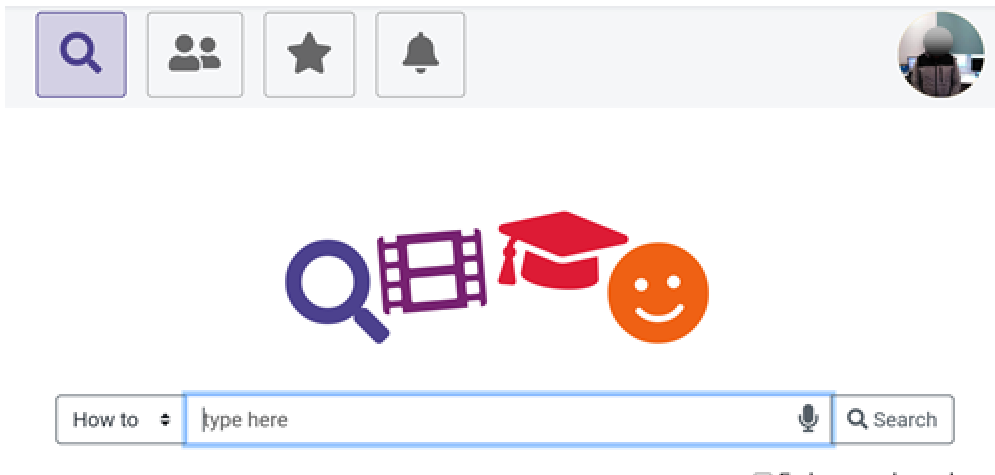
The authors of HowToApp propose an evolution: Competency-Based Design. This approach acknowledges that young adults with ID are already active—albeit often overlooked—participants in the digital economy. They use YouTube; they use Facebook. They have already learned what a "Bell" or a "Magnifying Glass" does. By mirroring these familiar interfaces, designers can create immediate usability without a steep learning curve.
Methodology: The "TechShops" Framework
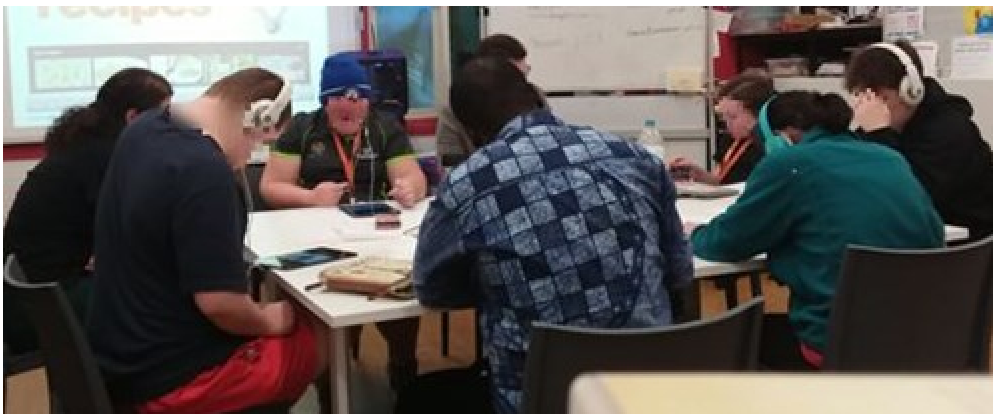
The research was conducted over ten weeks through a series of collaborative workshops termed "TechShops."
1. Architecture of Familiarity
The UI (User Interface) was intentionally built to look like a social media platform. The app allows users to:
- Search: Using a simplified magnifying glass icon.
- Archive: Saving educational YouTube videos to specialized playlists.
- Share: Sending videos to peers and support staff to foster collaboration.
2. Solving the "Login" Barrier
A critical insight from the TechShops was the "Email Barrier." Most participants struggled to remember complex email addresses or passwords. The team pivoted to QR code scanning for logging in and adding friends, drastically reducing the friction to entry.
Findings: Social Media as a Tool for Independence
The experiments yielded two primary insights:
- Functional Association: Participants did not need to be taught how to use the "Share" button. They associated it with social connection and excitement, which increased their engagement with the "boring" life-skills content (like vacuuming or etiquette).
- Network Effects: Receiving a shared video from a peer created a positive feedback loop. One participant noted, "I love this video and the app," highlighting how the social component makes skill acquisition less of a chore and more of a community activity.
Critical Insight & Future Outlook
The most impressive result of this study is the sustained appropriation of the tool. Often, assistive apps are abandoned once the researchers leave. However, the partner Disability Service Organization (DSO) has begun creating its own accessibility-friendly videos for cooking, mopping, and bed-making to keep the HowToApp ecosystem alive.
Limitations
While the "social media" metaphor is powerful, it carries the same risks as mainstream platforms (e.g., privacy, over-consumption). Future work must address how to protect users with ID from predatory content while maintaining the open, familiar feel of the web.
Conclusion
The HowToApp demonstrates that for users with ID, familiarity is the highest form of accessibility. By treating their prior experience with mainstream apps as a valuable asset rather than a distraction, we can build tools that truly support self-determination.