
iPhone Forensics: Reconstructing Criminal Social Networks via iTunes Backups
iPhone social networking for evidence investigations using iTunes forensics
This paper presents a forensic methodology for extracting digital evidence from iPhone social networking applications (Facebook, Skype, Viber, WhatsApp, and Windows Live Messenger) by analyzing iTunes backup files. The authors establish a mapping between application activities and specific SHA-1 hashed filenames within the iTunes "MobileSync" directory, enabling evidence recovery even if the physical device is destroyed.
TL;DR
When a suspect smashes their iPhone during a raid, the case isn't closed. This paper demonstrates a robust forensic technique to extract plaintext chat logs, contact names, and timestamps from the iTunes Backup files stored on the suspect's computer. By identifying specific SHA-1 hashed files that correspond to popular social apps like Skype and WhatsApp, investigators can "resurrect" deleted evidence and trace criminal networks without needing a functional phone.
Background: The Hardware Destruction Dilemma
In modern criminal investigations, the smartphone is often the "smoking gun." However, "anti-forensics" is a growing trend: suspects often destroy their devices or refuse to provide passcodes. Prior work in the field often relied on physical acquisition—creating a bit-for-bit image of the NAND flash. But what happens if the hardware is pulverized?
The authors' insight is brilliant in its simplicity: Leverage the user's habit of synchronization. Most iPhone users tether their devices to a PC or Mac. Apple’s iTunes creates a mirror of the app data—not the app itself, but the content (SQLite databases) and settings (Plist files)—on the host machine.
Methodology: Decoding the SHA-1 Black Box
When iTunes backs up an iPhone, it doesn't preserve the original folder structure. Instead, it uses a SHA-1 hashing algorithm to rename every file. For example, a file originally at Library/Preferences/com.apple.MobileSMS.plist becomes a 40-character hexadecimal string.
The Controlled Experiment
To crack this code, the researchers used an iPhone 4 (iOS 4.3.5) and performed a three-step analysis:
- Original State: Capture the file list of a clean, factory-reset iPhone backup (101 files).
- Used State: Install a specific app (e.g., WhatsApp), send messages, and perform a backup.
- Deleted State: Remove the app and backup again.
By comparing these states, they identified that each social app has a fixed number of increased files with static names. Regardless of the user, the filename for a specific app's database remains consistent across different backup instances.
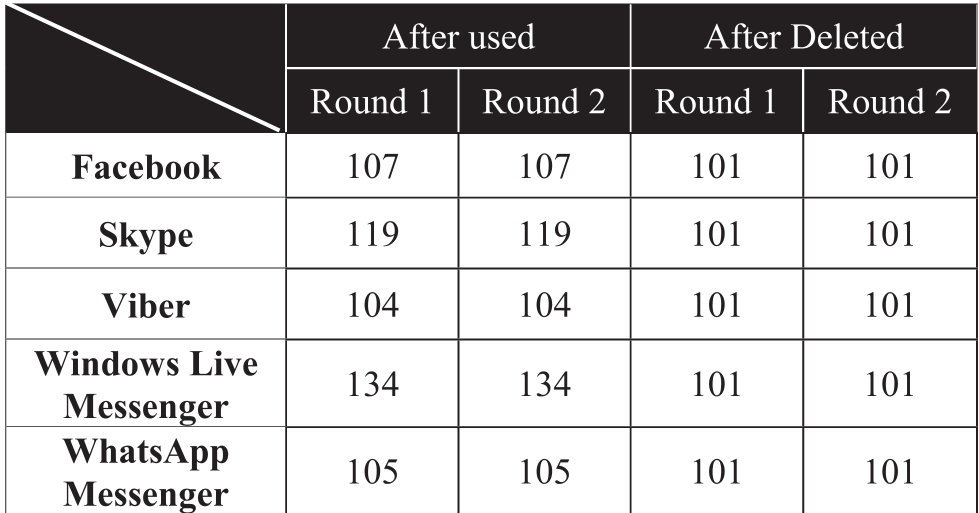 Table 3: The consistency of file counts after using and deleting social apps.
Methodology: The Core Anatomy of the Evidence
The paper focuses on the SQLite database format. Most social apps use SQLite to store local messages. Because these databases were often stored in plaintext (unencrypted) during the era of this study, a simple SQLite Browser is enough to read the entire chat history once the hashed file is located.
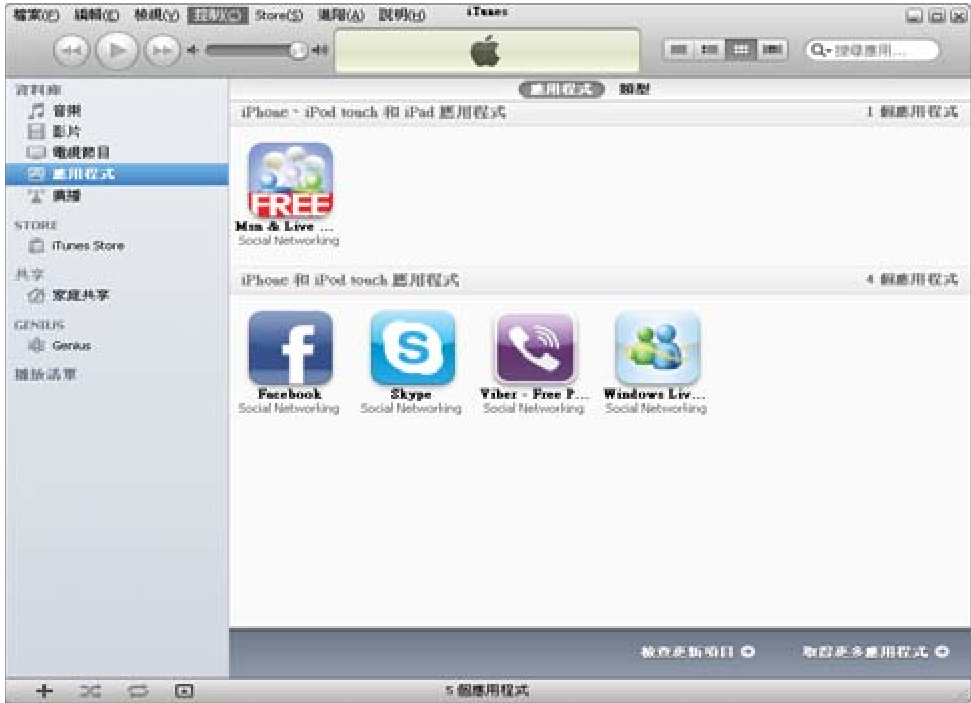 Figure 2: The iTunes interface serves as a management hub, but the real treasure lies in the hidden 'MobileSync/Backup' folder.
Case Results: Connecting the Dots
The authors simulated a fraud leader (Suspect A). Even though A destroyed his phone, investigators accessed his PC's backup folder.
- Skype Discovery: By opening file
9354ca82...in an SQLite browser, they found messages from "nospeaking" (Suspect A) telling an accomplice to wait in Central Park. - WhatsApp Evidence: File
1b6b187a...revealed a phone number beginning with886972(Taiwan country code), linking the suspect to a specific mobile identity. - Viber & Live Messenger: These backups yielded further confirmation of money-fraud intentions and coordinated withdrawal efforts.
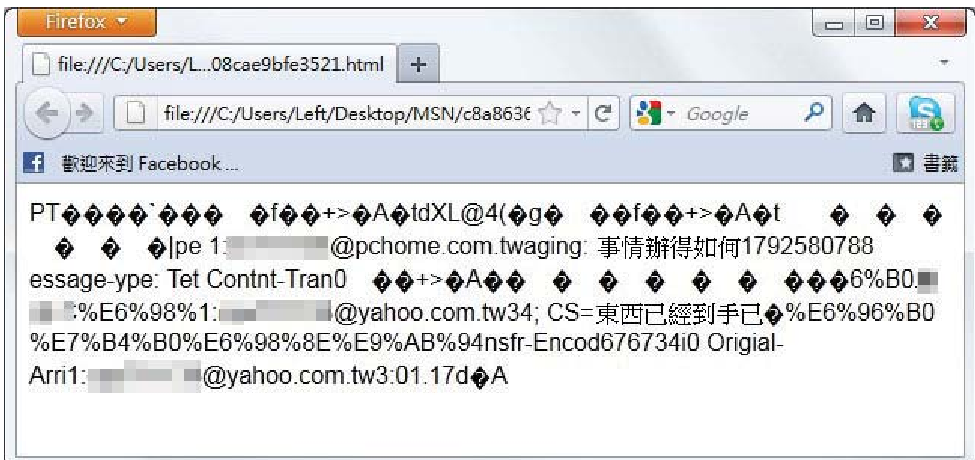 Figure 4: A screenshot showing a direct text dialogue extracted from a Skype backup SQLite file.
Critical Analysis & Conclusion
Takeaway
The study highlights a critical vulnerability in the iTunes backup mechanism of that era: the persistence of data in plaintext. While the phone might be encrypted, the backup on the PC often was not. This creates a "backdoor" for law enforcement that is easier to access than the device itself.
Limitations
- Modern Encryption: Modern versions of iOS and apps like Signal now use End-to-End Encryption (E2EE). Even if the SQLite file is recovered, the message content may be encrypted.
- iTunes Evolution: Apple has shifted towards iCloud backups and enhanced local backup encryption (if the user selects "Encrypt local backup").
- App Updates: The specific SHA-1 hashes identified in this paper are tied to the specific versions of the apps and iOS tested.
Future Outlook
As mobile security matures, forensic science must move toward Cloud Forensics. However, the fundamental principle of this paper—that "data leaves a trail on synchronized devices"—remains a cornerstone of digital investigation. Investigators should always look for the "digital twin" of a destroyed device.