
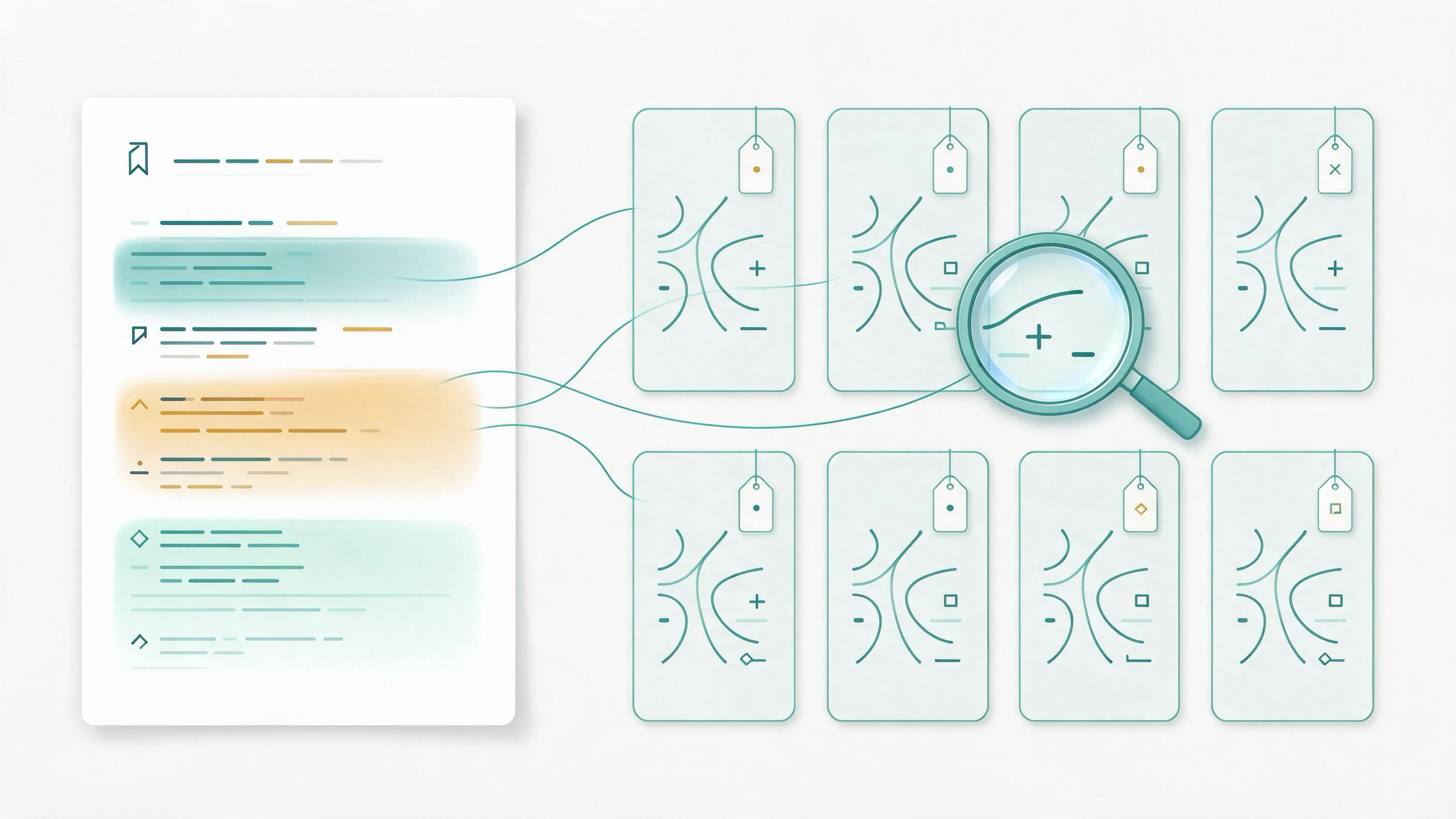
Highlighting is the easy part. A PDF full of colored passages is not a research note; it is raw material that still has to be sorted, labeled, and connected to a question. Converting highlights into structured notes means turning each marked passage into a small record that says what it claims, where it came from, why it matters to your project, and what you will do with it. This article gives you a repeatable sequence for that conversion, with checkpoints, a worked example, a reusable checklist, and clear rules for when to stop or escalate.
Why highlights alone fail as notes
A highlight records attention, not meaning. It tells you that a sentence seemed important when you read it, but it does not record the claim, the context, or the decision you made about it. When you return weeks later — or when a coauthor inherits the folder — the highlight has lost the reasoning that made it worth marking.
Structured notes fix this by attaching a small amount of metadata to every passage you keep. The goal is not to write more; it is to write the right fields once, at the moment of capture, so that later synthesis, citation, and handoff become mechanical rather than archaeological.
Diagnose your starting state before you convert anything
Before converting, look honestly at what you have. Most highlight collections fall into one of a few states, and each needs a different first move.
- Unsorted highlights across many PDFs. You need a triage pass before any note-writing: decide which papers belong to this project at all.
- Highlights already grouped by paper but not by theme. You can move straight to claim extraction, then cluster by theme afterward.
- Highlights mixed with reading notes and quotations. Separate verbatim quotation from your own paraphrase before structuring, or the two will blur.
- Highlights inherited from a coauthor or a previous project. You need provenance first: confirm which source each highlight came from before you trust or reuse it.
Write one sentence describing your starting state. That sentence determines whether your first step is triage, extraction, or provenance repair.
Decide the note schema before you write a single note
A schema is the set of fields every note carries. Choosing it up front prevents the drift that makes half-finished note collections unusable. A workable minimum schema for research notes derived from highlights is:
| Field | What it records | Why it matters |
|---|---|---|
| Source | The paper the highlight came from | Keeps the evidence trail intact |
| Location | Page, section, or figure | Lets you re-find the passage |
| Claim | The passage's assertion in your own words | Separates meaning from wording |
| Type | Finding, method, limitation, definition, or context | Supports later sorting |
| Project tag | Which question or theme it serves | Connects note to task |
| Status | New, verified, used, or dropped | Shows progress at a glance |
| Next action | Quote, cite, compare, or discard | Turns note into a decision |
You do not need every field for every note, but you should decide which are mandatory before you begin. A common and defensible choice is to make Source, Claim, and Project tag mandatory, with the rest optional.
Build the conversion sequence step by step
Step 1: Triage the highlight set
Work paper by paper. For each paper, decide whether it belongs to the current project. Papers that do not belong should be moved out of the working set rather than deleted, so the decision is reversible. If you are organizing a personal collection, tools that let one item sit in multiple project groupings without duplication are useful here, because a single paper often serves more than one question.
Checkpoint: every paper in the working set has a one-line reason for being there.
Step 2: Extract the claim from each highlight
For each highlight you keep, write the claim in your own words. This is the core conversion act. If you cannot state the claim without copying the sentence, you have not yet understood it well enough to note it. Where the highlight is a definition or a method description rather than a finding, label it as such instead of forcing it into a claim.
Checkpoint: no note consists only of pasted text.
Step 3: Assign type and project tag
Label each note by type — finding, method, limitation, definition, or context — and attach the project tag for the question it serves. Tags that describe topic, method, status, or workflow are a practical way to keep these dimensions separate rather than collapsing them into one label.
Checkpoint: every note has exactly one type and at least one project tag.
Step 4: Record provenance
Attach the source and location to every note. This is the step that makes the collection auditable. If you are working from a search that will later be reported, the same discipline applies at the search level: documenting the process, deduplicating records, and screening in stages keeps the trail intact from search to note.
Checkpoint: you can open any note and reach the exact passage it came from in under a minute.
Step 5: Set status and next action
Give each note a status and a next action. A note marked "verified" with the action "cite in methods" is a decision; a note with no status is an open loop. This is also where you drop notes that no longer serve the project — dropping is a legitimate outcome, not a failure.
Checkpoint: no note is left without a status.
Use a worked example: from a methods paragraph to a citable note
Suppose you are drafting the methods section of a manuscript and you have highlighted a paragraph in a review about how searches should be planned. Your conversion might look like this:
- Source: the review paper, with page and section recorded.
- Claim (your words): searches should be planned from eligibility criteria rather than assembled ad hoc.
- Type: method.
- Project tag: search-strategy.
- Status: verified.
- Next action: cite in methods; compare with the second review's guidance.
The highlight has now become a note you can sort, cite, and defend. Repeat this for each highlight in the paragraph, then cluster the resulting notes by project tag. What was a page of color becomes a small, ordered set of claims tied to a section of your manuscript.
Keep an auditable method trail
The value of structured notes is that they let someone else — a coauthor, a reviewer, or you in six months — reconstruct how a conclusion was reached. Two habits protect that trail.
First, keep the search or selection record alongside the notes. When a review is reported, transparent reporting of search, selection, and synthesis methods is expected, and reporting checklists and flow-diagram templates exist to support that. Your notes should be able to feed those artifacts rather than contradict them.
Second, keep the link between note and source stable. If a paper is re-filed, renamed, or merged, the note's source field should still resolve. Reviewing duplicates and merging them deliberately, rather than letting near-duplicates accumulate, keeps the trail clean.
Where WisPaper fits into the workflow
WisPaper is an AI research assistant for finding, screening, organizing, and working with academic papers, and it can support several of the steps above while you keep the note schema you have chosen.
- When you need to find the papers that will supply your highlights, start from WisPaper search and screen results against your eligibility criteria before you highlight anything.
- When you need to keep and organize the papers you have selected, save or upload them in My Library so the working set and the notes stay in one place.
- When you need to ask questions across the papers you have already collected, use Library QA against papers uploaded to My Library or added from search results, then convert the answers you rely on into notes with the same schema.
- When a conversion task is longer than a single paper — for example, assembling a literature review from a set of notes — the Scholar Agent area is built for longer research tasks including literature review.
- When your notes are destined for a reference list, run the BibTeX through TrueCite, which checks BibTeX against real academic databases to flag hallucinated references.
Each of these is a step in the sequence, and the schema, the claim extraction, and the provenance record stay with you.
Know when the result is ready
The conversion is finished when the collection passes a short readiness test. Use this checklist:
- Every note has a source and a location.
- Every note states a claim, definition, or method in your own words.
- Every note has a type and at least one project tag.
- Every note has a status and a next action.
- Dropped notes are recorded as dropped, not silently deleted.
- You can trace any planned sentence in your draft back to a note and from the note back to a passage.
- A coauthor could sort the notes by tag and understand the project's evidence base without asking you.
If all seven hold, the highlights have become structured notes. If any fail, return to the corresponding step rather than patching at the end.
Stop and escalation rules
Knowing when to stop prevents endless polishing; knowing when to escalate prevents quiet errors.
Stop when: every retained highlight has a note, every note passes the readiness checklist, and further work would only reword existing claims. At that point, move to drafting or synthesis.
Escalate when:
- A highlight's source cannot be confirmed — resolve provenance before using it.
- Two notes make conflicting claims about the same source — compare the passages directly rather than choosing one.
- A note is load-bearing for a manuscript claim but its location cannot be re-found — treat the claim as unsupported until it is.
- A reference in your notes cannot be matched to a real record — screen it before it reaches the reference list.
These rules keep the method trail honest without turning note-taking into an unbounded task.
FAQs
Keep Reading

How to Create a Final Evidence Snapshot Before Submission
A final evidence snapshot is the frozen, self-describing record of what your deliverable rests on: the sources you used, how you found and screened them, what each one supports, and how confident you are in each claim. I

How to Create a Seed Library for a New Topic
A seed library is the small, deliberate core of sources you assemble when you enter an unfamiliar topic and need to move toward a manuscript, a review, a coauthor handoff, or a reproducible search. It is not a finished b

How to Find the Core Debate in a New Research Area
Entering an unfamiliar research area feels like walking into a conversation already in progress. The practical goal is not to read everything. It is to identify the central disagreement, understand what kind of evidence