
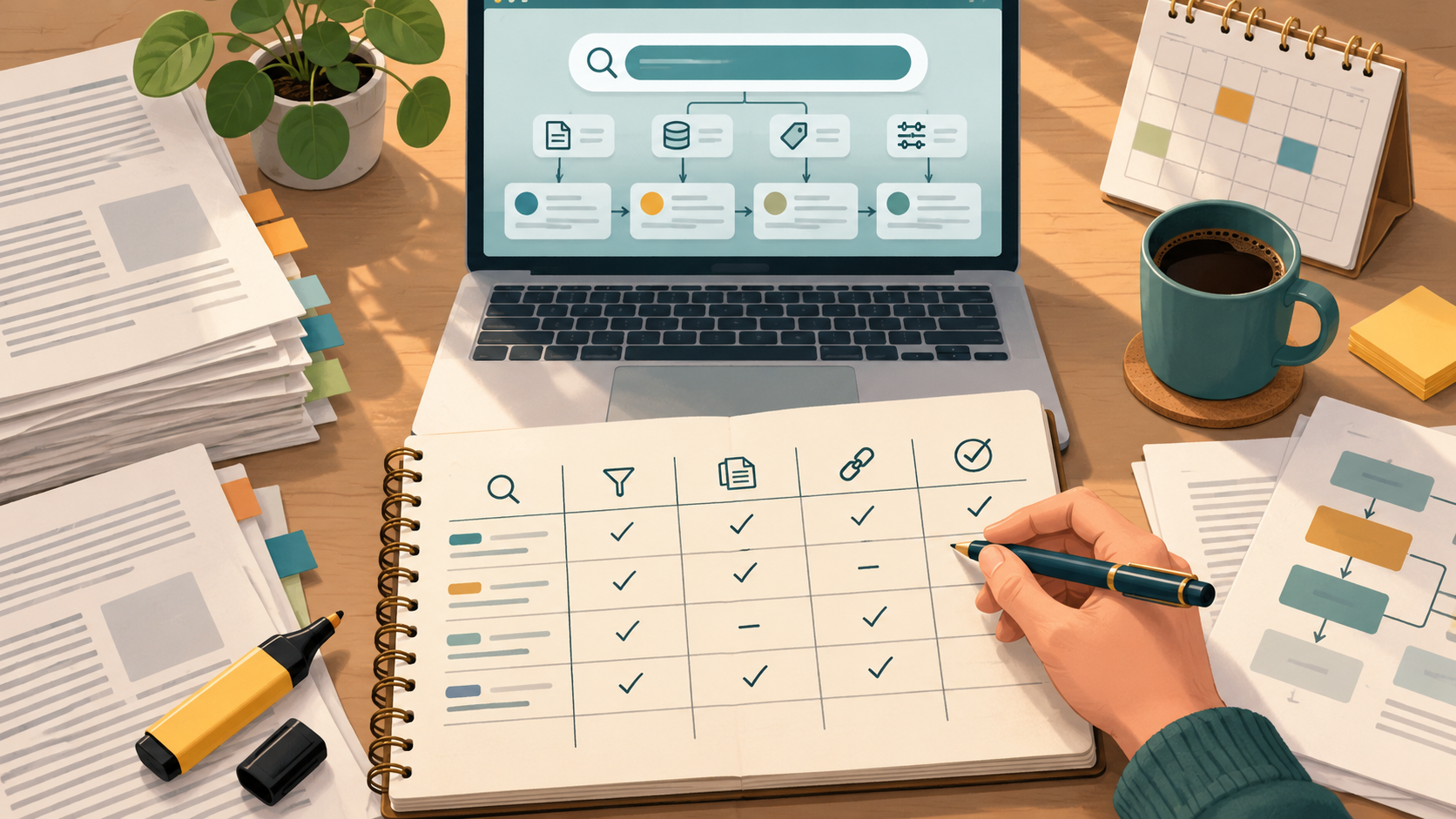
A reproducible literature search is one that a colleague—or a reviewer, or you six months from now—can rerun and land on the same record set. The way to get there is a compact reproducibility log: a single file that records the databases and interfaces you used, the dates you searched, the exact queries, the filters, the result counts at each stage, what you exported, how you deduplicated, and every deviation from your plan.
This article gives you a complete sequence for building that log, with diagnostic checkpoints, a worked example, a reusable table, and clear rules for when to stop or escalate. It draws on guidance from the Cochrane Handbook (Chapter 4), the PubMed User Guide, and Google Scholar Search Help, and it shows where WisPaper tools fit at specific steps.
Start the log before the first search
Open a plain-text or spreadsheet file and create the columns before you type a single query. Cochrane's guidance is to plan searches from your eligibility criteria, so the log should begin with those criteria and the sources you intend to search. If you draft the log after searching, you will reconstruct queries from memory and lose the audit trail.
At minimum, the header of your log should capture:
- The review or manuscript title and version.
- The eligibility criteria (population, intervention or topic, study types, date and language limits).
- The databases and interfaces you plan to search, and why each is included.
- The date the plan was fixed, so later changes are visibly deviations.
If you are working inside a shared workspace, you can keep the project context alongside the log in Research Projects so the search record and the surrounding work stay together.
Record each database, interface, and search date
For every source, log the database name, the interface or platform you actually used, and the exact date of the search. Cochrane recommends using multiple sources, so expect several rows. The interface matters: the same database can behave differently across platforms, and a reader rerunning your search needs to know which one produced your counts.
A useful convention is one row per database-interface-date combination. If you rerun a search before publication—Cochrane recommends rerunning searches before publication—add a new row rather than overwriting the old one. That preserves the history of what changed and when.
Capture the exact query, not a paraphrase
Paste the query string exactly as you ran it. Cochrane recommends combining free-text terms with subject headings, so record both components and how they were combined. For PubMed, the User Guide notes that Search Details reveal how terms were translated and combined—copy that translation into your log, because it shows what the database actually did with your input.
For each query, record:
- The full query string, including field tags and Boolean operators.
- The subject headings or controlled vocabulary used, and whether they were exploded or focused.
- Any phrase searching, truncation, or proximity operators.
- The field tags applied (for example, title, abstract, author, or date fields in PubMed).
If you build searches in a scholarly search interface, run them through WisPaper search and paste the final query strings into the log alongside the counts. For readers who want a public entry point to finding academic papers, WisPaper Scholar Search is the corresponding page.
Log filters, limits, and result counts at every stage
Filters change the denominator, so record each one and the count before and after it. Google Scholar documents date limits and date sorting, and PubMed supports filters and Advanced Search. Log:
- Date limits (and whether they were applied as a filter or built into the query).
- Language, publication-type, or species limits.
- The raw result count, then the count after each filter.
- The number of records exported.
This is where a diagnostic checkpoint belongs. If the count after filtering is dramatically smaller than the raw count, note why before moving on. If a filter was applied in one database but not another, record that asymmetry explicitly—it is a deviation, not a detail.
Export records and record the export method
Record how you exported: the format (for example, RIS, BibTeX, or CSV), the number of records, and the date. Google Scholar documents citation export, and PubMed links to full text when available; note whether you captured abstracts only or full records.
If you are screening citation files for your reference list, TrueCite checks BibTeX against real academic databases to flag hallucinated references—useful as a checkpoint before the reference list is finalized.
Deduplicate and document the method
Cochrane recommends deduplicating records, and the log should say how. Record:
- The deduplication tool or method (manual, reference manager, or script).
- The match rule used (exact title, DOI, author-year).
- The number of records before and after deduplication.
- The number of duplicates removed and where they were found.
Cochrane also notes that multiple reports may link to one study, so keep a column for study-level linking. A record that looks like a duplicate may actually be a separate report of the same study—log the decision either way.
Screen in stages and log the counts
Cochrane recommends screening in stages (for example, title-abstract first, then full text). For each stage, record the number screened, the number excluded, and the reasons for exclusion. If you save papers for closer reading, My Library lets you save or upload papers and organize them, which keeps the screened set separate from the raw export.
When you need to ask questions of the papers you have collected, Library QA supports asking questions based on papers uploaded to My Library or added from search results. Log which questions you asked and which papers they drew on, so the reasoning trail stays visible.
Record deviations as they happen
A deviation is any change from the plan in your log header: an added database, a dropped filter, a widened date range, a changed deduplication rule. Record the date, the change, and the reason. Do not rewrite history—append. Reviewers and collaborators can then see the method as it actually unfolded, which is what an auditable trail requires.
A worked example
Suppose a team is preparing a manuscript on a clinical topic and needs a search another reviewer can rerun. Their log might look like this:
| Field | Entry |
|---|---|
| Review title and version | Manuscript v1.2, search plan fixed 3 March |
| Eligibility criteria | Adults; topic-specific intervention; randomized and observational studies; English; 2010–present |
| Database and interface | PubMed (web interface) |
| Search date | 5 March |
| Query | Free-text terms combined with MeSH headings; field tags recorded; Search Details translation pasted |
| Filters | Date limit 2010–present; English; applied after raw count |
| Counts | Raw: recorded; after date filter: recorded; after language filter: recorded; exported: recorded |
| Export | RIS, date recorded, abstracts included |
| Deduplication | Reference manager; exact title and DOI match; before/after counts recorded |
| Screening | Title-abstract stage: screened/excluded counts and reasons; full-text stage: same |
| Deviations | Date range widened on 12 March to capture a key earlier trial; reason recorded |
A second row would cover Google Scholar, with its date limits and citation export noted, and a third might cover a subject-specific database. The point is not the number of rows but that every row is complete enough to rerun.
A reusable checklist
Use this checklist for each database-interface-date combination:
- Database, interface, and search date recorded.
- Full query string pasted, including field tags and headings.
- Search Details translation captured (PubMed).
- Filters listed with counts before and after.
- Export format, record count, and date recorded.
- Deduplication method, rule, and before/after counts recorded.
- Screening stages with screened/excluded counts and reasons.
- Study-level linking noted for multiple reports.
- Deviations appended with date and reason.
- Rerun before publication logged as a new row.
Stop and escalation rules
Set these rules before you start so the log does not become an endless reconstruction:
- Stop when every planned database has a complete row and the counts reconcile from raw to screened.
- Stop when a rerun before publication produces no new eligible records, and log the rerun.
- Escalate to a second reviewer when a screening decision is ambiguous or when a record may be a duplicate or a linked report.
- Escalate to the team when a deviation changes eligibility criteria or the database set, so the change is agreed and dated.
- Escalate when a count cannot be reconciled—do not paper over it; record the gap and investigate.
For longer research tasks that fit a literature review workflow, Scholar Agent is the corresponding area. If you need a general introduction to WisPaper as an AI research assistant for finding, screening, organizing, and working with academic papers, start at the WisPaper English homepage.
FAQs
Keep Reading

How to Extract Population, Intervention, Comparison, and Outcomes Reliably
When you are coding a stack of papers against a PICO framework under a deadline, the hard part is rarely remembering what the four letters stand for. It is deciding, for each study, which sentence actually defines the po

How to Fill Evidence Gaps Before a Research Deadline
A deadline does not change what your sources actually say. What it changes is how you spend the remaining hours. The practical move is to stop writing forward for a moment, list every claim that still lacks a source, ran

How to Find Legal Full Text When a Paper Is Paywalled
A paywall is a routing problem, not a dead end. When a report is due and the key study sits behind a subscription, the fastest safe path is a fixed sequence: confirm the canonical record, check institutional access, look