
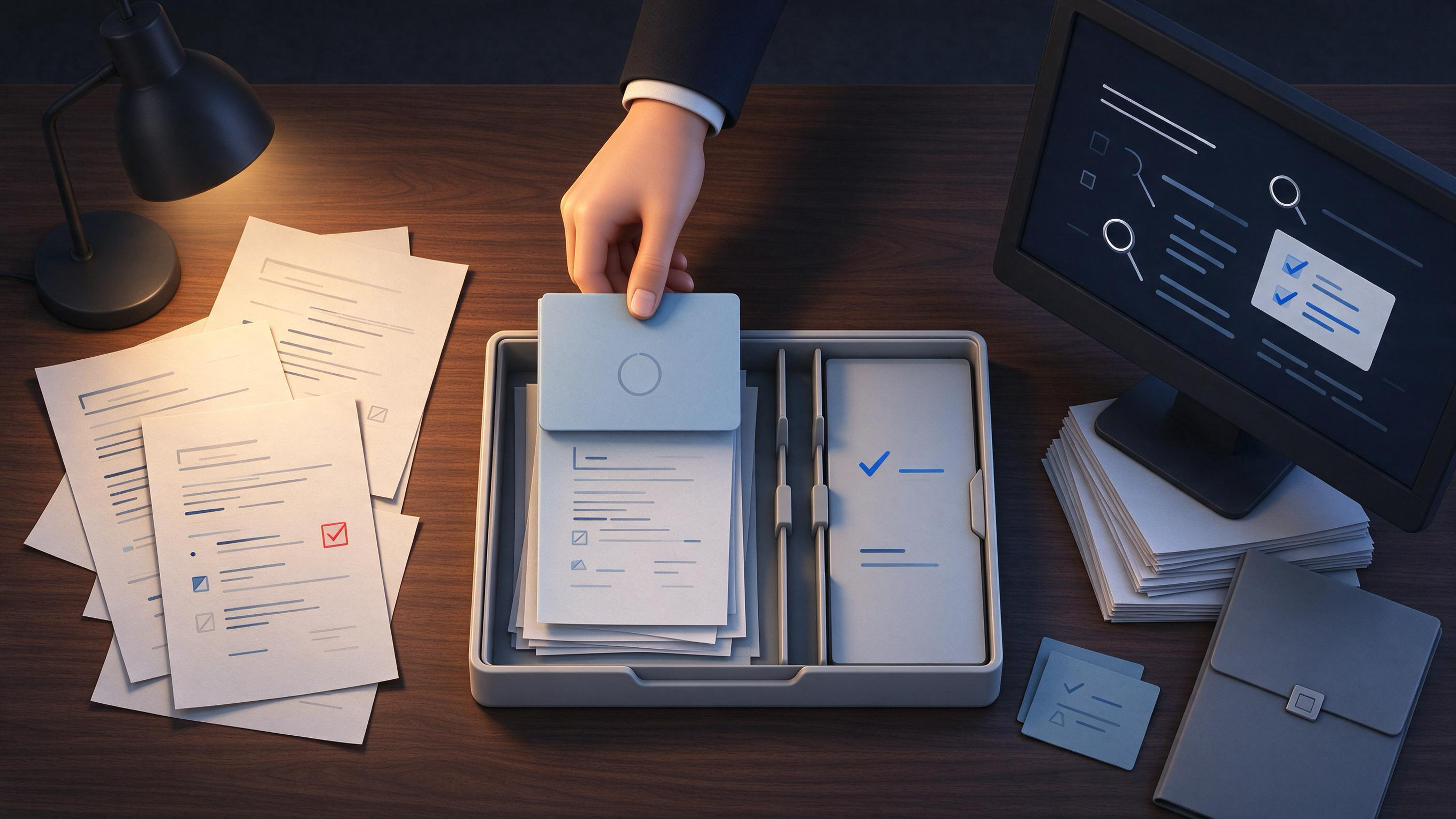
Handing off an unfinished research project fails most often because the person receiving the work cannot reconstruct what the original researcher knew. A clean handoff is not a polished document; it is a decision-ready package that lets another clinician or researcher continue the search, screening, and synthesis work without redoing it.
This guide is written for clinicians and medical researchers preparing focused evidence briefs, research updates, or team discussions. It works whether you are leaving a project mid-screening, passing a partially completed review to a colleague, or handing a year-end reset folder to a junior team member. You will find a diagnostic starting-state framework, a step-by-step handoff sequence with checkpoints, a worked example using a focused population and outcome question, a reusable checklist table, and explicit completion criteria.
The workflow below uses WisPaper where it fits the actual handoff work: capturing a search record, organizing selected papers, and checking a reference list before it leaves your desk.
What kind of unfinished project are you actually handing off?
Start by naming the project state. The right handoff artifact depends on which of three states you are in.
State 1: A defined research question, but search and screening are not finished. The handoff requires a search plan, inclusion criteria, the current record of sources searched, and a clear mark showing what has and has not been screened.
State 2: Screening and study selection are mostly complete, but synthesis or drafting has not happened. The handoff requires a deduplicated set of included studies, linked reports, and a decision log explaining why borderline studies were included or excluded.
State 3: A draft exists, but it is not submission-ready. The handoff requires a reference check, a gap list, and a statement of what still needs updating before submission.
Before moving on, write one sentence that describes the state. If you cannot write that sentence, the handoff is not ready for another person. For example: "A search and screening handoff for a focused evidence brief on deprescribing antihypertensives in adults aged 75 and older, with the search documented through title/abstract screening but full-text screening incomplete."
What does the receiving person need to continue without you?
Someone who did not run the original search needs three things: the search process, the decision trail, and the current artifact set.
The Cochrane Handbook for systematic reviews recommends planning searches from eligibility criteria, using multiple sources, documenting the process, deduplicating records, screening in stages, linking reports of the same study, and updating searches before publication. Apply that guidance directly to your handoff, even for a focused brief. A handoff package should show:
- Eligibility criteria written in operational terms. Population, intervention or exposure, comparison, outcome, study design, and any date or language limits.
- The sources searched and the search record. For each source, note what was searched, when, and the search string or filters used.
- Deduplication and screening stages. Show how many records were found, how many duplicates were removed, and how many records passed each screening stage.
- Linked reports. If multiple published records describe the same study, list them together so the receiver does not treat two reports of one trial as two trials.
- The date of the last search. This tells the receiver how stale the evidence is and when an update is due.
In WisPaper, the search record can live where you actually do the search. If you used WisPaper search to locate academic papers, keep the query terms, filters, and date with the selected papers rather than relying on memory. Save the papers you have judged relevant into My Library so the receiver sees the working set, not the entire retrieval set.
How do you organize the handoff so it survives a change of person?
A handoff needs a stable folder structure and a single master document. Do not pass a stack of PDFs and expect the next person to infer the project logic.
Create a master handoff document with these sections:
- Project summary: the research question, the role of this project in the larger workflow, and the current state.
- Search record: sources, dates, query strings, and filters.
- Inclusion and exclusion criteria: written as rules, not descriptions.
- Screening log: counts at each stage, with a note where screening stopped.
- Included studies: a deduplicated list, with linked reports grouped under each study.
- Decision log: short notes on borderline or disputed selections.
- Next actions: the precise next task, not a general to-do list.
- Update plan: when the search should be refreshed and what triggers a re-run.
Store this document with the selected papers in a project space. If your team works inside Research Projects, create a dedicated project for the handoff so the master document, search record, and selected papers stay in one place. This becomes especially useful when the receiver needs to ask a focused question against the saved set, which can be done through Library QA once the relevant papers are in the library.
Worked example: deprescribing antihypertensives in adults aged 80 and older
Consider a focused evidence brief with this PICO:
- Population: community-dwelling adults aged 80 years or older with controlled hypertension on one or more antihypertensive medications.
- Intervention: planned deprescribing of at least one antihypertensive agent.
- Comparison: continued usual antihypertensive treatment.
- Outcome: serious adverse events related to blood pressure control, including falls, syncope, and hospital admission with hypotension or stroke.
This is a good handoff example because the population is narrow, the intervention is a decision clinicians actually make, and the outcome is measurable in routine data. The eligibility criteria follow directly from this PICO, which matches the Cochrane planning principle of deriving search design from eligibility criteria.
The handoff package for this example
Master document excerpt
- Research question: "What is the effect of planned antihypertensive deprescribing on serious adverse events in community-dwelling adults aged 80 and older?"
- State: title/abstract screening complete; full-text screening not started.
- Sources searched: one bibliographic database and one registry, both searched on the same date.
- Deduplication: two records identified as duplicate abstracts of the same trial report.
- Screening: 214 records to title/abstract stage, 31 records advanced to full-text screening.
- Linkage: one trial appeared in two published records; both records are linked under one study ID.
- Next action: complete full-text screening against the eligibility criteria, then extract outcome data for serious adverse events.
- Update plan: re-run the database search at the draft stage and before any final submission.
What the receiver can see immediately
The receiver knows exactly where the work stopped, how many records remain to be screened, and which trial reports belong together. They do not need to ask where anything is stored or which papers the original researcher considered relevant.
Using WisPaper in this example
After the original researcher ran the search, relevant records were saved to My Library under a label for the deprescribing brief. The master document notes that the two duplicate reports of the same trial have been grouped under one study entry. When the receiver starts full-text screening, they can open the saved set and query it directly through Library QA to ask focused questions such as whether any included trial reported falls as a separate outcome.
Before the handoff leaves the desk, run a reference check if any bibliography or draft reference list has been produced. TrueCite checks BibTeX entries against real academic databases to flag hallucinated references. This is a concrete pre-handoff step: export the working bibliography as BibTeX, pass it through TrueCite, and correct or remove flagged entries before the receiver opens the file. Do not rely on the receiver to discover a broken reference list later.
How do you know the handoff is ready to leave your desk?
Use explicit completion criteria. A handoff is ready only when all of the following are true:
- A person unfamiliar with the project can state the research question in one sentence after reading the master document.
- The search record shows sources, dates, and search strings or filters for every source searched so far.
- Deduplication counts and screening-stage counts are recorded up to the current stop point.
- Multiple reports of the same study are linked and visible as one study.
- The date of the last search is recorded, and a plan exists for updating it.
- The next action is a single specific task, such as "complete full-text screening of 31 records against criteria C1, C2, and C3."
- Any bibliography or reference list produced so far has been checked; hallucinated or incorrect references have been corrected or flagged for removal.
- The selected papers and the master document are stored in a location the receiver can access without extra permissions or explanation.
If any of these are false, finish that item before the handoff. Do not hand over a project with an uncorrected reference list or an undated search record.
Reusable handoff checklist
Copy this table into your master document and mark each cell complete before the handoff.
| # | Checkpoint | Artifact | Completion signal |
|---|---|---|---|
| 1 | Research question is stated with PICO components | One-sentence question in the master document | A new reader can restate the population, intervention, comparison, and outcome from the sentence alone |
| 2 | Eligibility criteria are written as rules | Inclusion and exclusion rules with study design and date limits | A screener can apply each rule without asking for interpretation |
| 3 | Search sources are documented | Table of sources, dates, and query strings or filters | Every source searched so far appears with a date and a reproducible query |
| 4 | Deduplication is recorded | Duplicate count and deduplication decision | The receiver can see the number of deduplicated records and does not double-count |
| 5 | Screening stages are recorded | Counts at title/abstract and full-text stages | The receiver knows the current stop point and the number of records remaining |
| 6 | Reports of the same study are linked | Study-level grouping of linked records | Multiple reports of one trial appear under one study entry |
| 7 | Last search date is recorded | Date in the search record and update plan | The receiver knows how stale the evidence is |
| 8 | Selected papers are saved and labeled | A labeled set in the library or project space | The receiver can open the working set without re-searching |
| 9 | Reference list is checked before handoff | BibTeX passed through a citation check | Flagged or hallucinated references are corrected or removed |
| 10 | Next action is single and specific | One task statement with a record count where applicable | The receiver can start that task without asking what to do first |
What changes when you are handing off at year end?
A year-end handoff adds one requirement: the update plan becomes more important than the current screening progress. If the project will sit idle for weeks, the receiver needs to know exactly when to refresh the search before any final submission or team discussion.
The Cochrane Handbook notes that searches in a review should be updated before publication. Treat a year-end handoff as a scheduled pause before that update. In the master document, replace "next action" with a date-based instruction: "Re-run the database search on or after January 6 and screen new records through the existing eligibility criteria before proceeding to synthesis." Attach the stored search strings so the receiver can re-run rather than reconstruct. If the papers are already in My Library, the working set remains accessible during the pause, and new records can be added after the update without starting a new folder.
Why evidence strength, applicability, and limitations matter in the handoff
Handing off an unfinished project does not end with a pile of selected papers. The receiver inherits your judgments about evidence quality, indirectness, and limitations, and those judgments should be written down rather than implied.
For the deprescribing example, a decision log entry could read: "Trial T1 enrolled adults aged 65 and older, not restricted to 80 and older. The age distribution includes the target subgroup, but the overall effect may be indirect for the oldest adults. Full-text extraction should record whether subgroup data for age 80 and older are reported separately." This tells the receiver that eligibility is satisfied but applicability needs a subgroup check.
A stronger handoff records where evidence is direct, where it is indirect because the population or outcome differs from the PICO, and where a limitation in the underlying study design or reporting leaves the estimate uncertain. Write these notes in the decision log beside each included study or study group. The receiver then inherits the analytic thinking along with the selected records.
How WisPaper supports a search-level handoff
WisPaper is useful in this workflow because the handoff artifacts and the tool share the same objects: a search, a saved set of papers, and questions asked against that set.
A practical sequence for a clinician leaving a project mid-screening:
- Run or re-open the search in WisPaper search and record the query and date in the master document.
- Save records judged relevant to My Library under a project-specific label.
- Create or open a Research Projects space for the handoff and attach the master document and the search record.
- Ask a targeted question against the saved set with Library QA only after the relevant papers are in the library, so the receiver has a record of the questions already examined.
- If a draft bibliography exists, export it as BibTeX and run it through TrueCite, then correct flagged references before the handoff.
This sequence keeps the tool inside the handoff workflow. The receiver opens the project, reads the master document, and continues from the saved set rather than rebuilding it.
FAQs
Keep Reading

How to Name and Organize Files for Journal Submission
You are finishing a course paper, a thesis chapter, or your first manuscript, and the draft exists in a folder somewhere. The writing is done. What often still separates a stressful submission from a smooth one is how th
How to Prepare a Clean Manuscript and a Marked-Up Version
Most journals now ask for two files at the same time: a change-marked manuscript showing where reviewers’ comments were addressed, and a clean copy with the tracked changes accepted. Getting this pair wrong causes desk r

How to Prepare a Revised Manuscript for Resubmission
A revised manuscript succeeds when it shows the reviewers that you understood their comments, changed the research or the reporting where it mattered, and left an auditable trail from the original submission to the final