
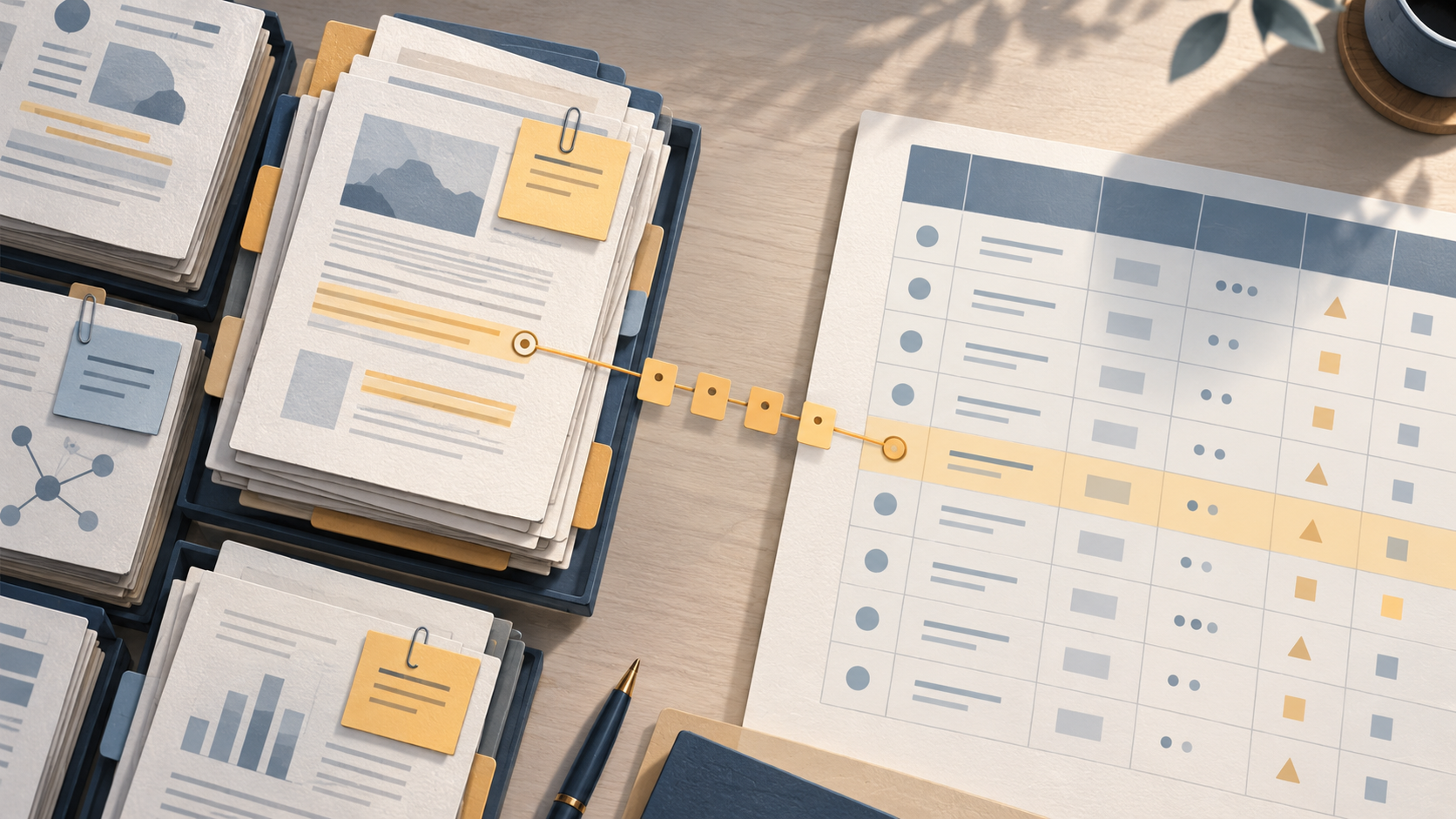
When you are preparing a manuscript, a revision, or a grant-related evidence summary, the question is rarely "which tool is better?" It is "which tool keeps my method trail auditable?" Zotero and a spreadsheet solve different parts of the same problem. Zotero is strongest at holding references and their attachments and at organizing one item across multiple project groupings without duplication. A spreadsheet is strongest at structured, row-by-row extraction and at recording decisions in a form you can sort, filter, and report. Most rigorous reviews need both, joined by a stable identifier.
This article compares the two options on the same task and criteria, shows where each one fails, and gives a decision table plus a combined workflow that preserves an auditable trail.
The task both tools are being asked to do
Picture a team screening records for a review. They need to:
- plan searches from eligibility criteria and document the process;
- deduplicate records and screen in stages;
- link multiple reports of one study;
- extract structured data from each included study;
- keep the search, selection, and synthesis methods transparent in the final report;
- rerun searches before publication.
Cochrane's guidance on searching and selecting studies covers exactly this sequence: plan searches from eligibility criteria, use multiple sources, combine free-text terms with subject headings, document the process, deduplicate records, screen in stages, link multiple reports of one study, and rerun searches before publication. PRISMA 2020 supplies the reporting checklist, expanded explanations, an abstract checklist, and flow-diagram templates that make those steps visible to readers.
Neither Zotero nor a spreadsheet does all of that alone. The comparison below is about which parts of the trail each tool holds well.
Criterion 1: Citation management
Zotero's core strength is citation management. Collections can organize one item in multiple project groupings without duplicating it, and tags can describe topic, method, status, or workflow. Saved searches update automatically, and the Duplicate Items collection supports review and merging.
That combination matters for a review. A single study may belong to several thematic collections at once, and tags let you mark method or screening status without creating parallel copies. Saved searches mean a view you defined earlier keeps reflecting the current library. The Duplicate Items collection gives you a place to review and merge duplicates rather than hunting for them by hand.
A spreadsheet can list citations, but it holds them as rows of text. It does not natively organize one item into multiple groupings without duplication, and it does not update a saved view automatically. If you maintain citations only in a spreadsheet, you are maintaining a second copy of bibliographic data that must be reconciled by hand.
Criterion 2: Attachments
Zotero is built to hold items together with their attachments, so the PDF and the record stay linked. A spreadsheet cell can hold a file path or a link, but the file itself lives elsewhere, and the link can break when folders move.
For a review team, this is a practical dividing line. Keep the PDFs and their bibliographic records in Zotero; keep the extraction decisions in the spreadsheet. The stable identifier in both places is what keeps them joined.
Criterion 3: Structured extraction
This is where the spreadsheet wins. Structured extraction means one row per study, one column per field, and a consistent coding scheme across the team. A spreadsheet gives you sortable, filterable columns and a format that is easy to share with a co-author who needs to check a single field.
Zotero's tags can describe topic, method, status, or workflow, but tags are labels, not a table of extracted values. If your protocol requires a field-by-field extraction form, the spreadsheet is the natural home for it.
The practical rule: use Zotero to hold and organize the record, and use the spreadsheet to hold the extraction. Do not try to make tags carry the extraction form, and do not try to make the spreadsheet carry the attachments.
Criterion 4: Collaboration
Both tools support collaboration, but in different shapes. Zotero's collections and tags let a team share a common organization of items, with one item appearing in multiple project groupings without duplication. A spreadsheet lets a team share a common extraction form, with each row visible to everyone.
For a research team, the split is usually: Zotero for the shared library, the spreadsheet for the shared extraction. When a new paper is added, it goes into the library first, then into the extraction sheet with its identifier.
Criterion 5: Auditability
Auditability is the criterion that decides most reviews. An auditable trail means a reader or reviewer can follow how you got from your search to your included studies to your synthesis.
Cochrane's guidance is explicit that the search process should be documented, that records should be deduplicated, that screening should happen in stages, and that multiple reports of one study should be linked. PRISMA 2020 makes the same demand in reporting form: transparent reporting of search, selection, and synthesis methods, with flow-diagram templates for original and updated reviews.
A spreadsheet is strong on auditability for decisions: each row records what was decided and why. Zotero is strong on auditability for records: saved searches update automatically, and the Duplicate Items collection supports review and merging, so the state of the library is visible.
Where each fails is the mirror image. A spreadsheet alone loses the attachment and the automatic saved view. Zotero alone loses the field-by-field extraction table. The auditable trail needs both halves joined by an identifier.
Where each option fails
Zotero alone fails at structured extraction. Tags describe topic, method, status, or workflow, but they are not a column-per-field extraction form. If your protocol requires coded values per study, you will end up building that table somewhere else anyway.
A spreadsheet alone fails at citation management and attachments. It does not natively organize one item into multiple groupings without duplication, does not update saved views automatically, and does not hold the PDF alongside the record. You will maintain duplicate bibliographic data and broken file links.
Both fail if the identifier is missing. If the spreadsheet row and the Zotero item are not joined by a stable identifier, the two halves of the trail drift apart, and neither tool can reconstruct the link.
A decision table
| Task | Zotero | Spreadsheet |
|---|---|---|
| Hold bibliographic records | Yes — collections and tags | Rows of text only |
| Organize one item in multiple groupings without duplication | Yes — collections | No |
| Describe topic, method, status, workflow | Yes — tags | Yes — as columns |
| Keep attachments with records | Yes | Link or path only |
| Saved views that update automatically | Yes — saved searches | No |
| Review and merge duplicates | Yes — Duplicate Items collection | Manual |
| Field-by-field structured extraction | No — tags are labels | Yes — one row per study |
| Sort and filter extracted values | No | Yes |
| Document screening decisions | Partly — via tags | Yes — per row |
| Report search and selection methods | Needs the spreadsheet half | Needs the Zotero half |
Read the table as a division of labor, not a contest. The rows where Zotero wins are about records and organization. The rows where the spreadsheet wins are about extraction and decisions.
A combined workflow that preserves the trail
Here is a workflow that uses each tool for what it holds well, with the identifier as the join.
- Plan the search from eligibility criteria. Cochrane's guidance starts here: plan searches from eligibility criteria, use multiple sources, and combine free-text terms with subject headings. Record the plan in the spreadsheet so the method is documented from the start.
- Find candidate papers. Use a scholarly search interface to locate papers, then move the ones that pass your criteria into your library. WisPaper's scholarly search interface is one place to run that step.
- Save and organize the records. Put the papers into a library where collections and tags can organize one item across multiple project groupings without duplication. WisPaper's My Library is where you save or upload papers and organize them.
- Deduplicate and screen in stages. Cochrane's guidance calls for deduplication and staged screening. Record each screening decision in the spreadsheet, one row per record, with the identifier.
- Extract structured data. For each included study, fill the extraction columns in the spreadsheet. Link multiple reports of one study to a single study row, as Cochrane's guidance describes.
- Ask questions of the saved papers. When you need to check what a set of saved papers says about a specific point, ask questions based on papers uploaded to My Library or added from search results using Library QA. Record the answer and the papers it came from in the spreadsheet.
- Check the reference list. Before submission, screen the BibTeX against real academic databases to flag hallucinated references using TrueCite. A flagged reference is a row to fix in the spreadsheet and an item to correct in the library.
- Rerun the search before publication. Cochrane's guidance includes rerunning searches before publication. Add the new records to the library, add new rows to the spreadsheet, and note the rerun date in the method record.
- Report with PRISMA 2020. Use the PRISMA 2020 checklist and flow-diagram templates to report search, selection, and synthesis methods transparently. The spreadsheet supplies the counts; the library supplies the records.
For a longer literature review task, WisPaper's Scholar Agent area covers literature review, inspiration, and reproduction use cases. Keep the output of any such step in the spreadsheet with its source, so the trail stays intact.
Worked example: a peer-review revision
Suppose a reviewer asks you to justify why a particular study was excluded. With the combined workflow, you open the spreadsheet, find the row by identifier, read the screening decision and the reason, then open the matching item in the library to confirm the record and its attachment. The answer to the reviewer is a row plus a record, not a memory.
If the reviewer asks whether your search was rerun before publication, the method record in the spreadsheet shows the rerun date, and the library shows the records added at that point. That is what an auditable trail looks like in practice.
When to use both
Use both whenever your output must show how you got from search to synthesis. That covers systematic reviews, grant evidence summaries, and manuscript revisions where a reviewer can ask for the method. Use Zotero alone when you are collecting and organizing references for your own reading. Use a spreadsheet alone when you are extracting from a fixed set of papers you already hold and do not need to manage their records.
FAQs
Keep Reading

A Citation Moved but the Claim Did Not: Repairing a Drifted Reference in Your Manuscript
A citation has "moved" when the identifier in your manuscript no longer points to the work that actually supports the sentence. The DOI resolves, the link opens, the reference looks plausible — but the destination has ch

A Clinical Team Needs an Evidence Brief by Tomorrow: A Practical Workflow
A request for an evidence brief "by tomorrow" is really a request for a defensible decision aid: a short document that states a focused question, shows how the evidence was found and selected, separates what the studies
A Guideline Recommendation Does Not Match the Studies You Found
You are preparing a short evidence brief for a team discussion. The guideline says one thing; the studies you pulled say something narrower, older, or aimed at a different population. The instinct is to force a match — e