

Data extraction is where a literature review becomes evidence. Summaries help you understand papers, but extraction tables let you compare them. They show which methods were used, which populations were studied, which outcomes were reported, and where limitations repeat.
AI can help pre-fill extraction tables, but the output still needs checking against the original paper. A wrong sample size, method label, outcome direction, or limitation can distort the review. The useful question is not whether AI can extract data. It is which fields AI can help draft, and how humans will verify them.
This guide compares manual extraction, AI-assisted extraction, and structured review platforms. If your paper set is not screened yet, organize the workflow first with AI-assisted systematic review methods, then extract from the included papers.
Extraction Is Not The Same As Summarization
A summary tells you what a paper is about. Extraction captures specific fields for comparison.
For example, a summary might say:
The study evaluated an AI-assisted screening workflow and found that it reduced reviewer workload.
An extraction table asks sharper questions:
- What study design was used?
- What dataset or sample was analyzed?
- What was the comparison condition?
- Which outcome measured workload?
- Was recall, precision, time, or agreement reported?
- What limitation did the authors name?
- Which claim can this paper support in the review?
Those fields are harder than a summary because they need consistency across papers. If one paper reports a sample in the methods section, another in a table, and another in supplementary material, extraction becomes slow.
That is why AI assistance is tempting. It can inspect text quickly. But fast extraction is useful only if the table stays accurate.
Decide The Table Before Extracting
Many extraction projects go wrong because the table is designed after the papers are read. The result is a spreadsheet with too many columns, inconsistent field names, and notes that cannot be compared.
Start with the review question. Then define the fields needed to answer it.
For a methods review, useful fields may include:
- Study aim.
- Method or model.
- Dataset or corpus.
- Evaluation design.
- Comparison method.
- Main metric.
- Key result.
- Limitation.
- Use in review.
For an intervention review, useful fields may include:
- Population.
- Intervention.
- Comparator.
- Outcome.
- Setting.
- Study design.
- Follow-up description.
- Risk or limitation.
- Applicability note.
The goal is not to extract everything. The goal is to extract the fields that support the review's claim.
If you are still building the themes, use organizing papers into themes first. Extraction works better when you already know what comparisons matter.
Manual Extraction
Manual extraction is slow, but it is easiest to defend. A human reads the paper, fills the table, and notes uncertainty.
Manual extraction works best when:
- The paper set is small.
- Fields are high-stakes.
- Tables and figures need interpretation.
- Outcomes are complex or inconsistently reported.
- The review will be submitted as formal evidence synthesis.
The main risk is inconsistency. Humans can also make errors, especially when fields are ambiguous or fatigue sets in.
Cochrane's Handbook chapter on collecting data notes that one cited study found independent data extraction by two authors resulted in fewer errors than extraction by one author followed by verification. The same chapter also notes that a high prevalence of extraction errors was observed, with errors in 20 out of 34 reviews, in prior evidence discussed there.
The lesson is not that humans are perfect. The lesson is that extraction needs a checking process.
AI-Assisted Extraction
AI-assisted extraction uses a model or research tool to pre-fill fields from abstracts, PDFs, uploaded papers, or source text. It can be helpful when the fields are repeated across many papers.
AI can help extract:
- Study aim.
- Population or sample.
- Study design.
- Method or model.
- Dataset.
- Intervention or exposure.
- Outcome.
- Main result.
- Limitation.
- Future work statement.
- Candidate theme.
Elicit's pricing page says its Pro plan includes custom extractions from uploaded papers and reports that extract from up to 135 data sources. Paperguide's pricing page lists a free plan with 5 extract columns per table and 10 papers per extract table at a time.
Those features can save time, but the output is not final evidence. AI may miss a table note, confuse a subgroup, flatten uncertainty, or extract a statement from the wrong section.
The safest use is pre-fill plus verification. Let AI draft the table, then check cells against the paper.
Structured Review Platforms
Structured review platforms are useful when extraction needs to be part of a formal review workflow. They may include screening, duplicate handling, extraction forms, reviewer roles, conflict resolution, audit trails, and export options.
These platforms are not automatically better for every project. They can be too heavy for a thesis chapter or narrative review. But they are helpful when multiple reviewers need a shared process and the final output must be defendable.
Use a structured platform when:
- The review has multiple reviewers.
- Extraction fields must be standardized.
- Decisions need an audit trail.
- Conflicts need resolution.
- The review will be submitted or audited.
- The team needs exports for reporting.
Even then, the same rule applies: extracted data needs checking. A platform can organize the work. It cannot remove responsibility for the content.
Build A Verification Workflow
Verification should be built into the extraction process, not added at the end.
Use this workflow:
| Stage | Action | Output |
|---|---|---|
| Define fields | Write clear field definitions before extraction. | A stable extraction form. |
| Pre-fill | Use manual reading or AI assistance to fill fields. | Draft table. |
| Source check | Compare each important cell with the original paper. | Verified or corrected cells. |
| Uncertainty flag | Mark unclear, missing, or ambiguous fields. | Review queue. |
| Consistency check | Compare similar papers for field consistency. | Cleaner table. |
| Claim check | Link extracted data to claims in the review. | Evidence-ready notes. |
The verification pass should focus on fields that affect conclusions. If a cell supports a central claim, check it. If a result is surprising, check it. If AI extracted it from a table, check the table and any footnotes.
This also prevents citation drift. When a table field becomes a sentence in the review, you should know exactly which paper section supports it.
For citation safety, pair extracted fields with source checks. A verified extraction table should make it easy to answer: which paper supports this sentence, and where in the paper does the support appear? The workflow in how to verify AI-generated citations is useful when AI has touched references, summaries, or extracted claims.
Prompting AI For Extraction
AI extraction works better when the prompt is field-specific. Avoid asking for a vague summary.
A useful prompt might say:
Extract the following fields from this paper: study aim, population, method, dataset, outcome, main finding, limitation, and exact source section. If a field is not reported, write "not reported." Do not infer missing information.
The phrase "do not infer missing information" matters. Extraction should preserve uncertainty. If the paper does not report a field clearly, the table should say so.
You can also ask the model to return a confidence note:
For each extracted field, label whether the answer is explicit, inferred, or unclear.
Do not treat the confidence label as proof. Use it to decide what to verify first.
For manuscript submission, do not hide AI extraction inside a vague writing disclosure. If AI helped pre-fill evidence fields, describe that role accurately. The templates in how to disclose AI use to a journal can be adapted for extraction support.
Design Fields For Comparison
A good extraction table supports comparison. A bad table becomes a storage place for miscellaneous notes.
Ask whether each field will be used:
- Will this field help answer the review question?
- Will it help compare papers?
- Will it support a section in the synthesis?
- Will it reveal a limitation or gap?
- Will it be cited in the manuscript?
If the answer is no, remove the field or move it to notes.
Too many fields slow extraction and make verification harder. Too few fields produce vague synthesis. The right table is the smallest table that can support the review.
From Extraction Table To Evidence Table
An extraction table is for working. An evidence table is for communication.
The extraction table may include messy notes, flags, source sections, and internal comments. The evidence table should be clean enough for a reader to understand the key comparisons.
When converting extraction to evidence:
- Merge duplicate fields.
- Remove internal uncertainty notes unless they matter to interpretation.
- Keep limitations visible.
- Show enough method detail to make comparisons fair.
- Avoid implying precision the sources do not support.
This is where writing begins. The table shows patterns. The review explains them.
For drafting, connect the table to writing a literature review faster. Good extraction turns paragraphs into synthesis instead of paper-by-paper summaries.
Where WisPaper Fits
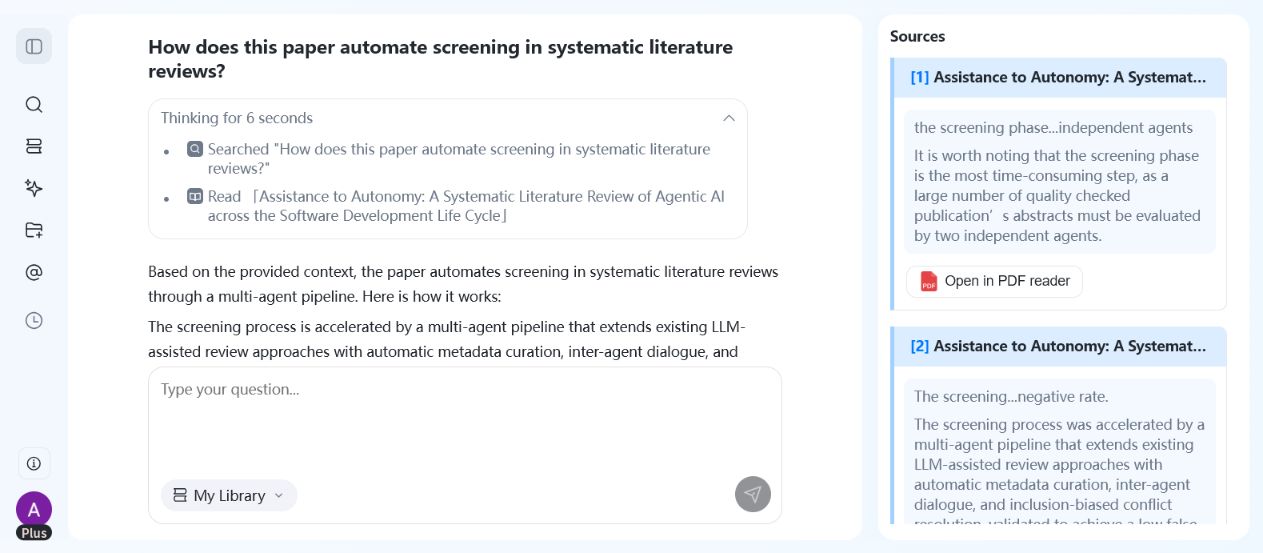
WisPaper helps researchers search and screen academic papers with AI. Its search workspace supports Deep Search, Scholar Agent, and Inspiration Discovery, while paper cards show source labels, summaries, and preview images so users can triage results before deciding what to read.
WisPaper also lets users build a paper library and ask questions against that library. Papers can be uploaded or added from search results, then used as the basis for library-specific QA.
FAQs
Keep Reading

Scholarly Sources for Assignments: Where to Find Them and How to Use Them
You have an assignment due, and the instructions say "use scholarly sources." That usually means peer-reviewed journal articles, academic books, or conference papers. But if you have ever typed your research question int
How to Find Peer-Reviewed Articles for a Research Paper
Your instructor wrote "peer-reviewed sources only" in the rubric. You need to find them, but you are not entirely sure what counts as peer reviewed or where to look. A quick Google Scholar search returns a mix of PDFs, p

Good Sources for a College Research Paper: What Counts and What Does Not
You have a thesis, a deadline, and a blank page. The next step is finding sources, but the search results are overwhelming, and it is hard to tell what your professor will actually accept. A "good" source has to be accur