
Keeping up with research is not mainly a reading problem. It is an intake problem. If every new paper gets equal attention, your week gets swallowed by alerts, PDFs, tabs, and guilt.
The volume is real. The National Science Foundation reports that worldwide science and engineering publication output totaled 3.3 million articles in 2023, based on Scopus-indexed entries. No individual researcher stays current by reading everything. The only sane approach is filtering.
This guide gives a practical system for staying aware without becoming a full-time paper monitor. If you are still building your research workflow from scratch, pair it with a free AI literature review stack so discovery, screening, reading, and citation management do not blur together.
Stop Trying To Read Everything
The first rule is uncomfortable: most new papers are not yours to read deeply. Some are outside your topic, some repeat known findings, some are useful later, and a few deserve close attention now.
The goal is not to know every paper. The goal is to know what changed, what matters for your work, and which papers deserve a place in your active project library.
A healthy literature-tracking system has three jobs:
- Catch important papers early enough to matter.
- Filter out noise before it reaches deep-reading time.
- Preserve useful papers so you can find them later.
Burnout happens when every paper enters the same mental bucket. The fix is to create levels of attention.
Build A Small Alert System
Most researchers do not need more alerts. They need fewer, better alerts.
Use a small set of sources:
- Core journals in your field.
- Key authors, labs, or research groups.
- Saved database searches for your main terms.
- Citation alerts for foundational papers.
- Topic feeds for emerging areas.
- A discovery tool for broader scanning.
Semantic Scholar says users can create alerts for authors, papers, or topics, including alerts for new papers and new citations from its alert pages. PubMed's My NCBI help says saved searches can provide automatic email updates for NCBI databases with adjustable schedules. Zotero documentation also describes feeds that can be added from RSS URLs inside Zotero.
The exact tool matters less than the boundary. Do not subscribe to everything that feels relevant. If an alert never changes what you read, cite, or think, delete it.
Separate Alerts From Reading
Alerts should not become reading assignments. Their job is to surface candidates.
When an alert arrives, do not automatically open the PDF. First classify it:
| Category | Meaning | Action |
|---|---|---|
| Read soon | The paper may affect a current project. | Save it to the active project library. |
| Track later | The paper is relevant but not urgent. | Save and tag it for future review. |
| Ignore | The paper is outside your scope. | Archive or delete the alert. |
| Watch | The paper signals a topic or author to monitor. | Add a citation or author alert if justified. |
This classification step protects deep-reading time. It also keeps your library from becoming a storage unit for every interesting title you have ever seen.
The habit is simple: alerts feed triage; triage feeds reading. Alerts should not bypass triage.
Run A Weekly Triage Block
Random paper-checking is expensive because it fragments attention. A fixed weekly triage block is calmer and more effective.
During the triage block, review new alerts, scan titles and abstracts, and move papers into a small number of categories. Do not attempt to read every paper. The output should be a cleaner queue, not a completed literature review.
Useful triage questions:
- Does this paper affect my current research question?
- Does it introduce a method I might use?
- Does it challenge an assumption in my project?
- Does it cite or update a paper I already rely on?
- Does it belong in a future-reading folder rather than today's work?
AI can help at this stage by summarizing abstracts, surfacing likely relevance, or grouping new papers by theme. But it should not decide what matters for your research agenda. You still need to choose what deserves attention.
If you are getting flooded by large result sets, use AI-assisted systematic review methods to separate quick relevance checks from deep reading.
Keep A Living Library, Not A Dumping Ground
A reference manager should not be a graveyard of PDFs. It should show the state of your thinking.
Use collections and tags that describe workflow status:
- Candidate papers: not yet screened.
- Active project: papers tied to current writing.
- Read and useful: papers that have passed close review.
- Background: helpful context but not central evidence.
- Methods: papers that guide design or analysis.
- To verify: sources that need citation or claim checks.
This structure makes the library actionable. When you sit down to write, you can find papers by purpose, not only by author or year.
Zotero is useful here because it handles references, notes, annotations, collections, and citation output. But the principle applies to any library tool: save papers with a status, not just a title.
If your library is already messy, do not reorganize everything. Start by cleaning the folder tied to your current project. Then use the process in organizing papers into themes to convert a pile of sources into an argument structure.
Decide What Deserves Deep Reading
Deep reading should be scarce. A paper deserves it when it changes a decision, supports a claim, challenges your assumptions, or becomes part of your final evidence base.
Deep-read papers that:
- Define the core theory or method for your project.
- Report findings you plan to cite directly.
- Introduce a dataset, protocol, or framework you may use.
- Disagree with a claim you were planning to make.
- Are repeatedly cited by papers in your source set.
- Represent a recent shift in the field.
Skim the rest. Save some. Ignore many. That is not laziness; it is triage.
The distinction matters when writing. A literature review should not be built from skimmed abstracts. Skimming helps you decide what to read. Deep reading supplies the evidence you can cite.
Use A "What Changed?" Note
After reading an important paper, write a short note that answers one question: what changed?
Useful note prompts include:
- What did this paper change about my understanding?
- What claim can I now make more precisely?
- What method, dataset, or limitation should I remember?
- Which earlier paper does this support, challenge, or extend?
- Does this paper belong in my final review or only in background reading?
This note is better than a generic summary. A summary tells you what the paper says. A "what changed" note tells you why it matters to your project.
These notes also make writing faster later. When you draft the review, you are not rereading every PDF from zero. You are using a trail of decisions.
Use AI Without Letting It Set Your Agenda
AI can reduce the friction of keeping up with literature, especially when feeds are noisy. It can summarize abstracts, group new papers, compare candidate titles, and suggest search terms for adjacent topics.
Use AI for:
- First-pass triage of alert results.
- Summaries of papers you already plan to inspect.
- Theme suggestions from a selected paper set.
- Question generation before deep reading.
- Citation checks before drafting.
Do not use AI for:
- Deciding that a paper is safe to ignore without review.
- Generating citations you do not verify.
- Replacing your own reading of central papers.
- Inflating a literature review with sources you do not understand.
- Producing a final synthesis without source-level checks.
If AI helped discover or summarize papers for a manuscript, keep a record of how it was used. The guidance in how to disclose AI use to a journal can help you decide whether that use needs a statement.
A Practical Weekly Routine
Use a repeatable routine rather than daily panic-reading.
The routine can be simple:
- Review alert inboxes and feeds.
- Move candidate papers into a triage list.
- Screen titles and abstracts against your current projects.
- Save useful papers into a reference manager with tags.
- Choose a small set for close reading.
- Write one "what changed?" note for any paper that matters.
The number of papers is less important than consistency. A steady triage rhythm keeps the field visible without letting it control the calendar.
If you are close to a writing deadline, reduce intake. Read what affects the draft. Park the rest. Keeping up with research should support the work, not become a way to avoid writing it.
For drafting, connect your active library to the workflow in writing a literature review faster. Speed comes from clean notes and source selection, not from trying to read every new paper.
Signs Your System Is Too Noisy
Your literature system is too noisy if it creates more anxiety than decisions.
Watch for these signals:
- You open many alerts but rarely save or cite papers from them.
- Your reference manager has many unsorted PDFs.
- You reread the same abstract because you forgot why it mattered.
- You cannot tell which papers are active, background, or ignored.
- You keep adding searches instead of refining the project question.
- You use new papers to postpone writing.
Fix one layer at a time. Delete weak alerts. Clean one active project folder. Add decision tags. Write shorter notes. The system should get lighter as it matures.
Where WisPaper Fits
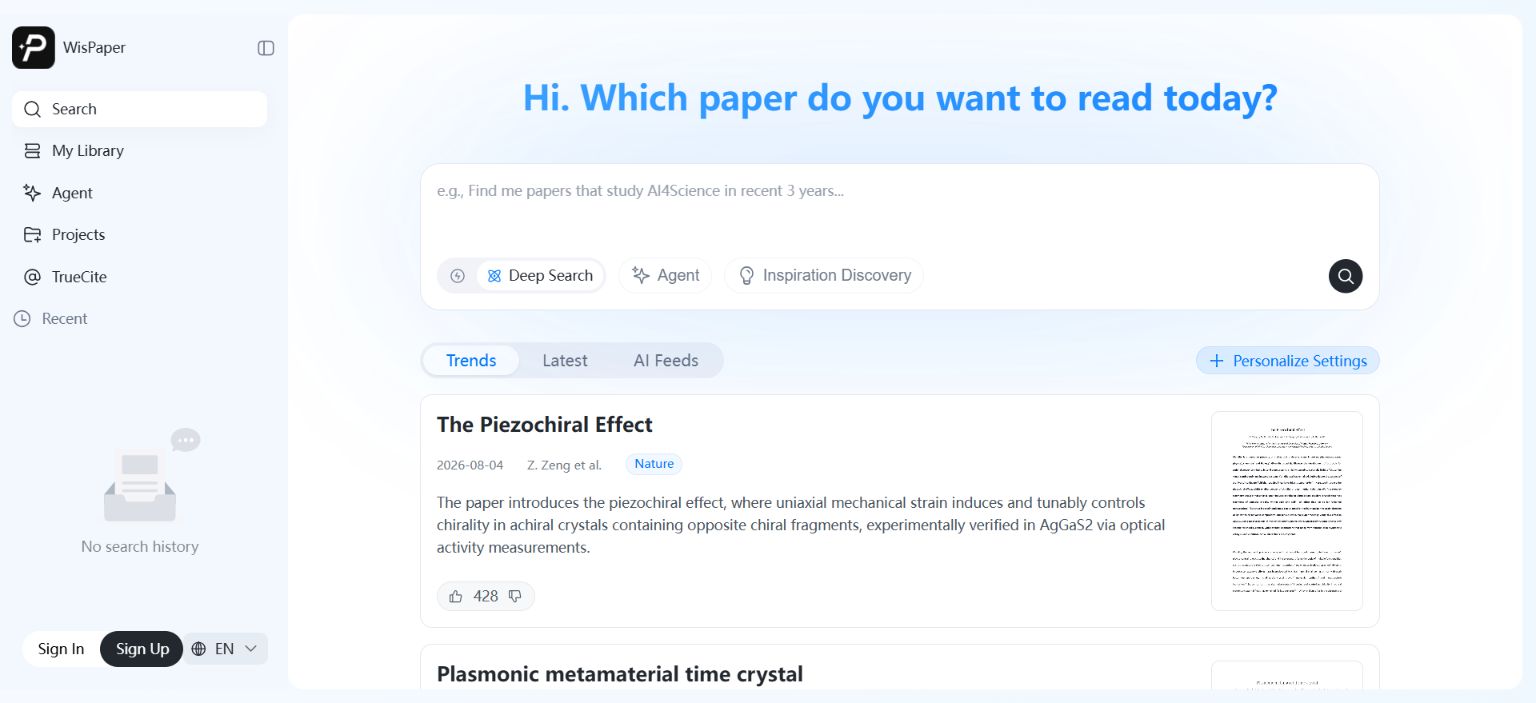
WisPaper helps researchers search and screen academic papers with AI. Its search workspace supports Deep Search, Scholar Agent, and Inspiration Discovery, while paper cards show source labels, summaries, and preview images so users can triage results before deciding what to read.
WisPaper also lets users build a paper library and ask questions against that library. Papers can be uploaded or added from search results, then used as the basis for library-specific QA.
FAQs
Keep Reading
Scholarly Sources for Assignments: Where to Find Them and How to Use Them
You have an assignment due, and the instructions say "use scholarly sources." That usually means peer-reviewed journal articles, academic books, or conference papers. But if you have ever typed your research question int
How to Find Peer-Reviewed Articles for a Research Paper
Your instructor wrote "peer-reviewed sources only" in the rubric. You need to find them, but you are not entirely sure what counts as peer reviewed or where to look. A quick Google Scholar search returns a mix of PDFs, p
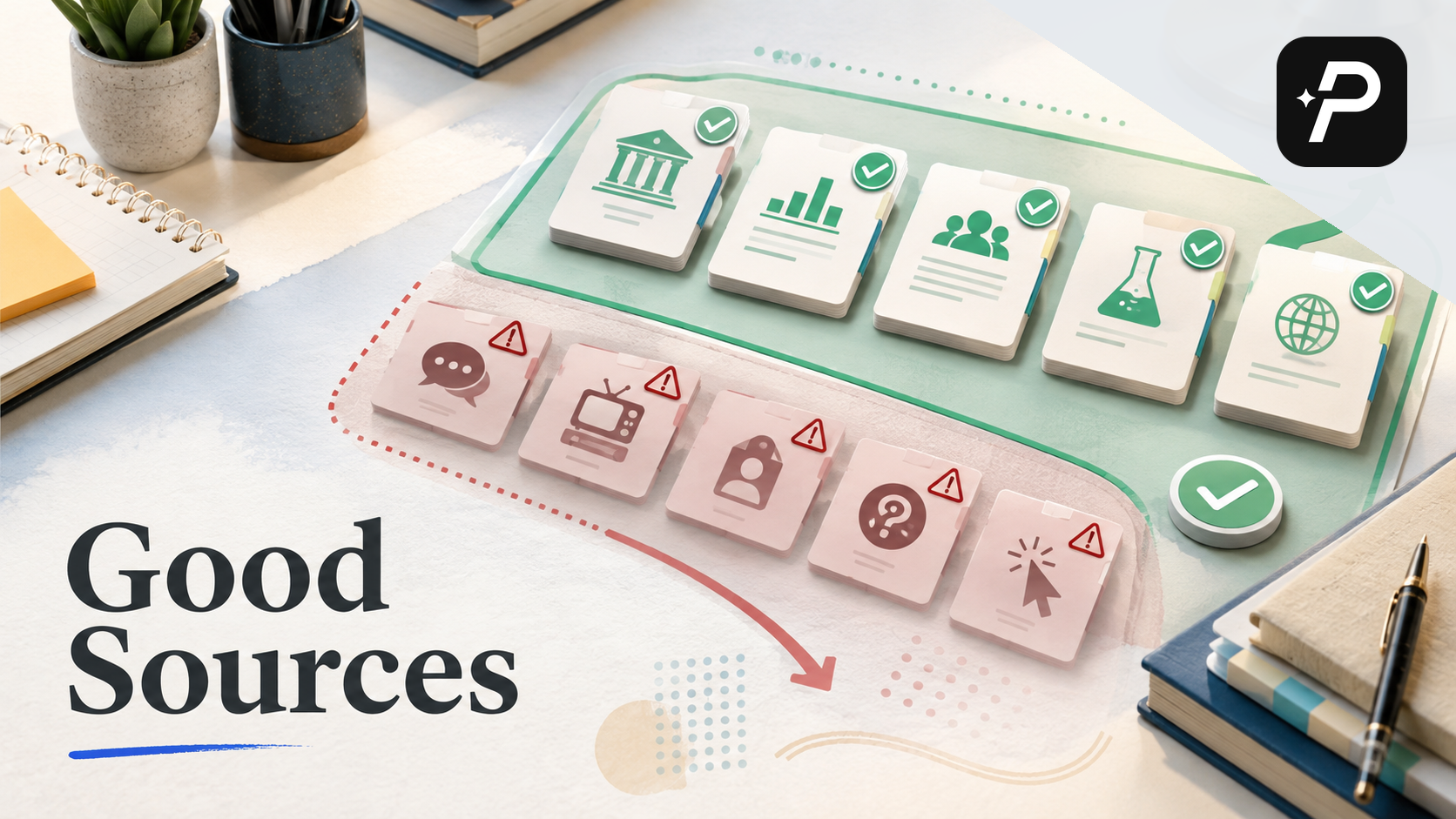
Good Sources for a College Research Paper: What Counts and What Does Not
You have a thesis, a deadline, and a blank page. The next step is finding sources, but the search results are overwhelming, and it is hard to tell what your professor will actually accept. A "good" source has to be accur